

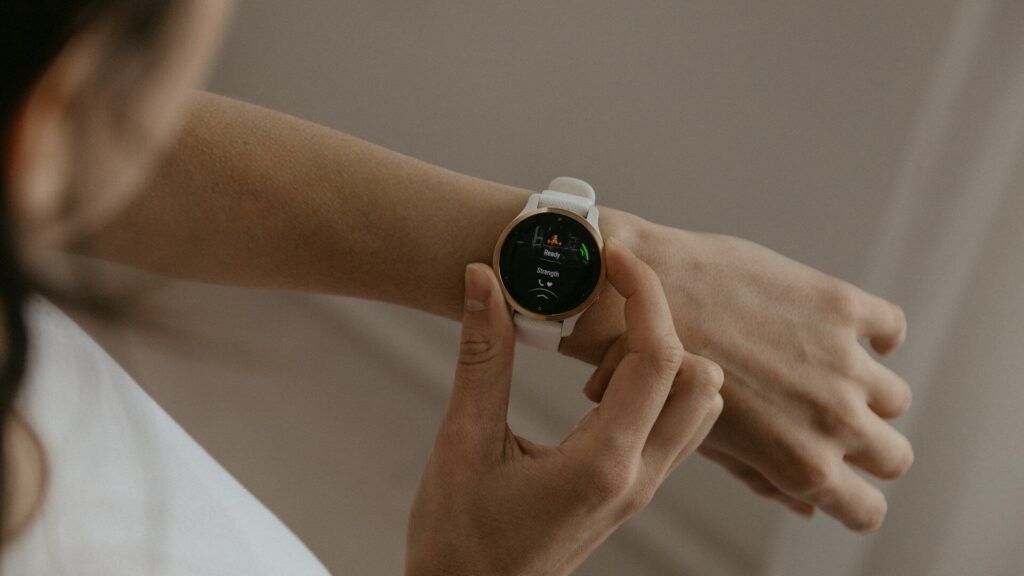
Flip your smartwatch over after a week of workouts and you will probably find a dull film on the sensor window. That film is sweat, skin oils and lotion, and it sits right where the optical heart rate sensor needs a clear view of your skin. Learning to clean your smartwatch properly keeps readings reliable and the band from smelling.
The good news is that it takes about two minutes, and you do not need special products.
What You Need Before You Start
Keep the kit simple. Harsh cleaners do more harm than good.
- A soft, lint-free microfiber cloth (the kind used for glasses).
- Fresh, lukewarm tap water.
- A soft, dry toothbrush for crevices and band gaps.
- 70% isopropyl alcohol wipes, only if your brand’s care guide allows them.
Always turn the watch off and remove it from the charger before cleaning.
Do and Don’t Checklist
Most sensor damage comes from the wrong product, not from dirt.
| Do | Don’t |
|---|---|
| Use a damp microfiber cloth | Use household cleaners or bleach |
| Rinse briefly under a gentle stream | Soak the watch or use hot water |
| Dry fully before charging | Use a hair dryer or compressed air |
| Clean the sensor window gently | Scrub the sensor with anything abrasive |
| Remove the band to clean it separately | Use soap on the case unless the brand allows it |
Step-by-step: Cleaning the Case and Screen
- Power off the watch and remove the band if it detaches easily.
- Dampen a corner of the microfiber cloth with fresh water.
- Wipe the screen and case in small circles, then dry with the dry side of the cloth.
- For grime around buttons or the crown, hold the watch under a gentle stream of lukewarm water for about 10 to 15 seconds while turning the crown or pressing buttons.
- Pat the watch completely dry before putting it back on or charging it.
If your watch has a water rating of 5 ATM or higher, a brief rinse is safe. Never press buttons underwater on watches without a water rating.
Cleaning the Heart Rate Sensors
The sensor window on the back deserves its own step because it affects your data directly.
- Wipe the sensor window with a damp microfiber cloth, using light pressure.
- If the film remains, use an approved alcohol wipe only if your manufacturer allows it.
- Let the sensor air dry for a minute before wearing.
- Check that no lint or residue is left on the glass.
Clean sensors help your watch estimate heart rate and zones correctly. You can compare your watch’s zones with our heart rate zone calculator.
Cleaning Bands and Charging Contacts
Silicone and Sport Bands
Remove the band, rinse it under lukewarm water, and rub gently with a drop of mild, fragrance-free soap if your brand permits it. Rinse well and dry completely.
Leather and Fabric Bands
Keep leather away from water. Wipe with a barely damp cloth and let it air dry. Fabric loops can be hand-washed and dried flat.
Charging Contacts
Wipe the charging pins or magnetic back and the charger surface with a dry cloth. Sweat residue here is a common reason a watch charges slowly or not at all.
How Often to Clean Your Smartwatch
- After sweaty workouts: a quick rinse or wipe of the sensor and band.
- After swimming: a rinse in fresh water, especially after salt water or a chlorinated pool.
- Weekly: a full wipe of the case, screen, sensors and band.
- Monthly: clean the charging contacts and check band pins.
Signs Your Watch Needs a Deeper Clean
A weekly wipe is usually enough, but these signs mean grime has built up where you cannot see it.
- Heart rate readings suddenly look erratic during steady workouts.
- The watch charges slowly or loses contact with the charger.
- The crown or buttons feel sticky or gritty when you press them.
- The band leaves marks, smells, or irritates your skin.
If readings stay odd after a proper clean, our troubleshooting guides cover sensor and charging problems in more detail.
Cleaning Tips by Watch Type
Rugged and Outdoor Watches
Mud and sand collect around buttons and the bezel. Rinse with fresh water while pressing each button a few times, then dry with a cloth. Never use a high-pressure hose.
Watches with Leather or Metal Bands
Clean the case and band separately. Metal link bands can be wiped with a damp cloth and a soft brush between links, while leather needs only a barely damp wipe.
Smart Rings and Fitness Bands
The same principles apply: fresh water, a soft cloth, and no harsh cleaners. Rings trap soap and lotion inside the band, so rinse and dry the inner sensor surface carefully. Browse options in our smart rings section.
Final Thoughts
Cleaning your smartwatch the right way means fresh water, a microfiber cloth and patience to let it dry. Skip household cleaners, heat and compressed air, and give the sensor window extra care since it drives your health data.
A two-minute habit after workouts keeps readings accurate, your skin happy and your watch looking new for years. Find more care routines in our care and maintenance guides.
FAQs
Can I use hand sanitizer to clean my smartwatch?
It is better to avoid it. Sanitizers contain gels and fragrances that leave residue; an approved 70% isopropyl wipe is the safer choice if your brand allows alcohol.
Is it safe to rinse my smartwatch under the tap?
Yes, if it has a 5 ATM or higher water rating. Use lukewarm water for a few seconds, avoid high pressure, and dry it fully before charging.
Why does my watch band smell?
Sweat and bacteria get trapped between the band and your skin. Rinse the band after workouts and let it dry completely before wearing it again.
Can dirty sensors affect heart rate accuracy?
Yes, residue on the sensor window can weaken the signal. Wipe the sensor gently every week and after heavy sweating.


Write Your Review
No reviews yet. Be the first to share your experience!