

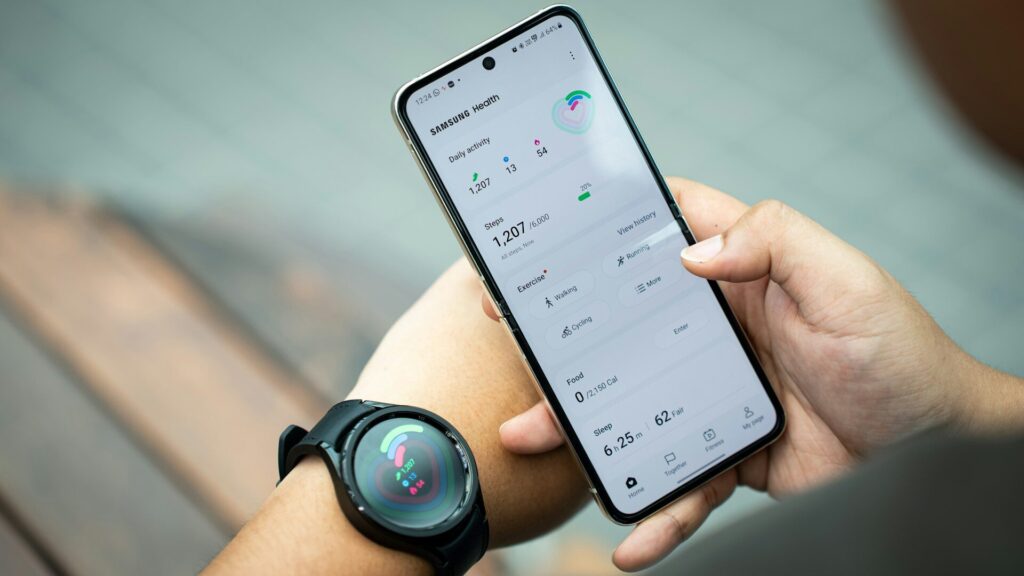
If your steps live in one app, your sleep in another and your workouts in a third, Android has a built-in fix. Health Connect is the shared health data layer on Android that lets apps such as Samsung Health, Fitbit and many others read and write the same data, with your permission.
Here is how it works and how to set it up so your numbers finally line up.
What Health Connect Does
Health Connect stores health and fitness data on your phone and lets approved apps share it. It replaced older sync methods that relied on each app talking to every other app.
- Apps write data such as steps, sleep, heart rate and workouts into Health Connect.
- Other apps you approve can read that data.
- Everything stays on the device, and you control permissions per app and per data type.
On Android 14 and newer, Health Connect is built into the system settings. On older versions it installs as an app from the Play Store.
Which Wearable Apps Work With Health Connect
Support grows with app updates, so treat this as a starting point.
| App | Typical Support | Notes |
|---|---|---|
| Samsung Health | Reads and writes | Galaxy Watch data flows through it |
| Fitbit | Reads and writes | Also used by Pixel Watch |
| Oura | Writes | Sleep and activity data |
| Amazfit Zepp | Writes | Steps, sleep and workouts |
How to Set Up Health Connect
- Open Settings on your phone and search for Health Connect (on older Android, install it from the Play Store).
- Open each wearable app, find its settings, and turn on Health Connect sync.
- Approve the data types the app may write and read.
- In Health Connect, tap App permissions to review every app in one place.
- Sync each wearable app once so data appears.
Fixing Duplicate or Missing Data
Duplicates
If two apps write steps, totals can look inflated. Health Connect lets you set app priority for some data types, so the most accurate source wins. Keep your watch app at the top for steps and sleep.
Missing Data
If an app shows nothing, check that it has write permission in Health Connect and that battery optimization is not stopping it in the background. Our pairing fixes guide covers background permissions in detail.
Privacy Tips
- Give each app only the data types it truly needs.
- Review permissions every few months and remove apps you stopped using.
- Compare platform options in our ecosystem guides before switching apps.
- Use the Health Connect data screen to delete history from a specific app if needed.
Final Thoughts
Health Connect turns a messy set of fitness apps into one shared record on Android. Set permissions once, choose a priority source, and your steps and sleep stop disagreeing.
If you use an iPhone instead, see our guide to Apple Health. To track your step totals against distance, try our steps to miles calculator.
FAQs
Is Health Connect the same as Google Fit?
No, Health Connect is the newer data-sharing layer. Google Fit was an app with its own storage, while Health Connect lets many apps share data on the device.
Does Health Connect work on iPhone?
No, it is Android only. iPhone users rely on Apple Health for the same purpose.
Can Galaxy Watch data reach other apps?
Yes, through Samsung Health and Health Connect. Turn on Health Connect sync in Samsung Health settings and approve the data types.
Is my data uploaded by Health Connect?
No, Health Connect stores data on your phone. Individual apps may still sync to their own cloud accounts under their own policies.


Write Your Review
No reviews yet. Be the first to share your experience!