

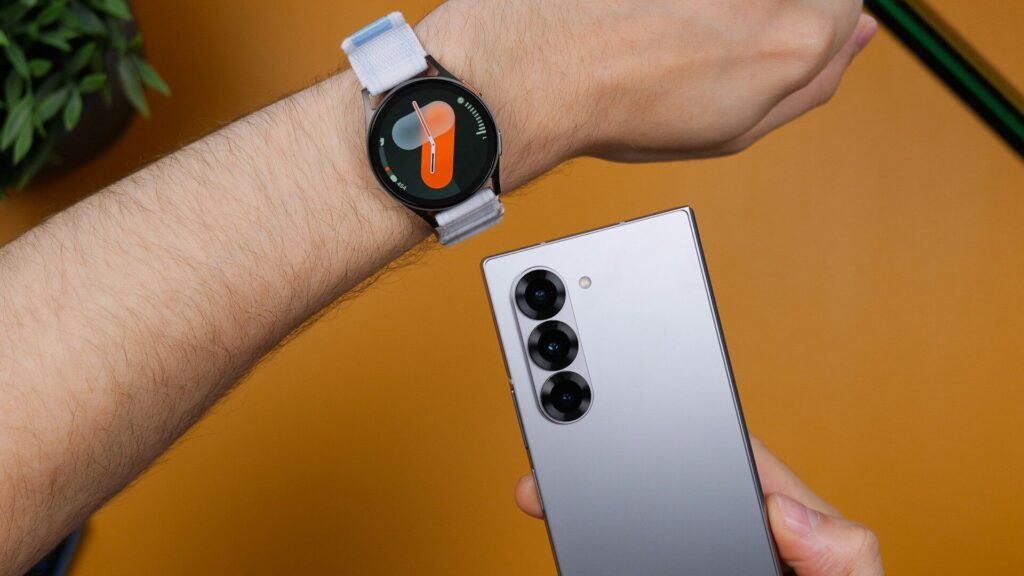
A new Galaxy Watch pairs quickly with a Samsung phone and only slightly slower with other Android phones, but a few setup choices decide whether it feels helpful or noisy. If you set up a Galaxy Watch carefully once, you get accurate health data, useful notifications and better battery from day one.
Charge the watch and keep your phone updated, connected to Wi-Fi and with Bluetooth on.
What You Need Before You Start
- An Android phone (Galaxy Watch does not pair with iPhone).
- The Galaxy Wearable app from the Play Store or Galaxy Store.
- A Samsung account, needed for backups, Samsung Health and Samsung Wallet.
- Both devices charged to at least half.
Pairing Step by Step
- Turn on the watch by holding the top side button.
- Open Galaxy Wearable on your phone and tap Start.
- Select your watch from the list and confirm the pairing code on both screens.
- On non-Samsung phones, allow the app to install the watch plugin it requests.
- Sign in to your Samsung account and approve the permissions for notifications, phone and location.
- Choose whether to restore from a backup or set up as new.
- Let the watch install any software update while both devices stay charging.
Settings to Choose During Setup
The table below lists the setup choices that matter most.
| Setting | Recommendation | Why |
|---|---|---|
| Samsung Health profile | Fill in accurately | Better calorie and fitness estimates |
| Notifications | Pick key apps only | Fewer buzzes, longer battery |
| Always-on Display | Off at first | Saves battery while you learn usage |
| Samsung Wallet | Add a card | Tap to pay from your wrist |
| Find My Watch | Turn on | Locate or lock a lost watch |
Turn On Health and Safety Features
Sleep Tracking
Wear the watch to bed and open Samsung Health on your phone for sleep scores and coaching. Our sleep calculator helps you plan a bedtime.
Heart Features
Set up ECG and irregular rhythm notifications in Samsung Health Monitor if your phone and region support them.
Emergency SOS and Fall Detection
In Galaxy Wearable, open Safety and emergency, add emergency contacts and turn on fall detection.
First Tweaks for Battery
- Lower screen brightness or use auto brightness.
- Limit continuous heart rate to every 10 minutes if you do not need constant readings.
- Remove watch faces and tiles you never use.
- Turn on Power saving on long days.
More day-one tips live in our setup and tips guides.
Final Thoughts
To set up a Galaxy Watch well, pair through Galaxy Wearable, fill in your Samsung Health profile, and trim notifications before they become noise. Ten extra minutes now saves weeks of fiddling later.
Read our Galaxy Watch8 review to see what the current model does best, and if pairing fails, our pairing fixes guide walks through solutions.
FAQs
Can I set up a Galaxy Watch with an iPhone?
No, current Galaxy Watch models need an Android phone. iPhone owners should look at Apple Watch or cross-platform brands.
Do I need a Samsung phone?
No, any recent Android phone works. Some features, such as ECG, may require a Samsung phone depending on region.
Why is my Galaxy Watch not pairing?
The missing watch plugin is the most common cause. Let Galaxy Wearable install it and allow all requested permissions.
Should I turn on Always-on Display?
Only if battery life is comfortable for you. It is convenient but noticeably shortens time between charges.


Write Your Review
No reviews yet. Be the first to share your experience!