

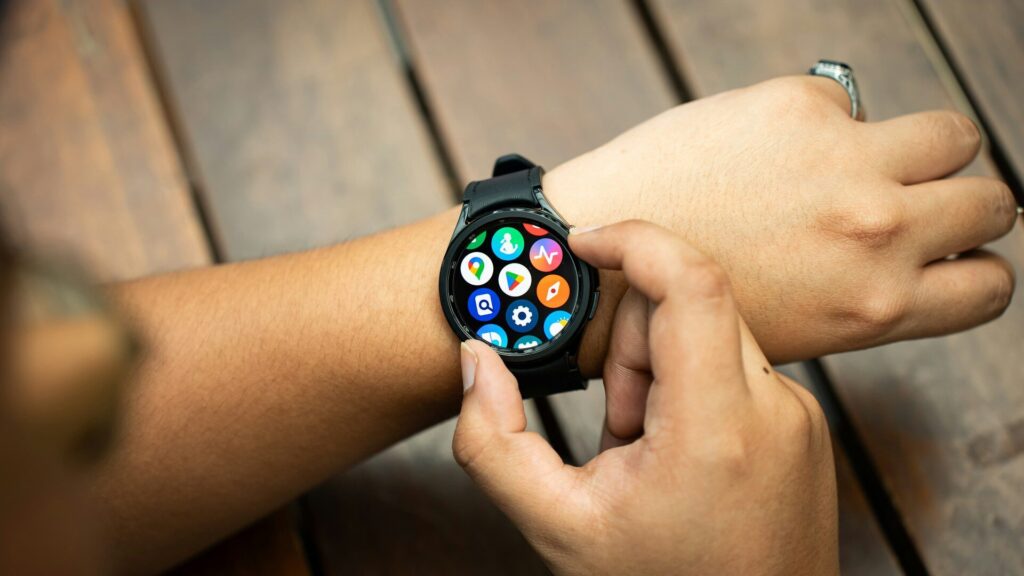
Every step, workout and night of sleep your Galaxy Watch records ends up in one place: Samsung Health. The app works on most Android phones, but a few of its most useful features depend on pairing with a Galaxy phone. This guide shows what is in the app and where the Galaxy advantage shows up.
How Samsung Health Is Organized
The home screen is a set of cards you can add, remove and reorder. The main areas are:
- Home: daily steps, active time, sleep, heart rate and any cards you choose.
- Together: challenges with friends.
- Fitness: guided workouts and programs.
- My page: profile, goals, weekly summaries and badges.
Tap any card to see trends by day, week or month.
Features and Phone Requirements
The table below shows which features need a Galaxy phone. Availability can also vary by watch model and country.
| Feature | Any Android Phone | Galaxy Phone Needed |
|---|---|---|
| Steps, workouts and sleep | Yes | No |
| Sleep coaching and scores | Yes | No |
| ECG | No | Yes, via Samsung Health Monitor |
| Blood pressure | No | Yes, via Samsung Health Monitor |
| Irregular rhythm notifications | No | Yes, via Samsung Health Monitor |
Quick answer: core tracking works on any Android phone, while the heart tools in Samsung Health Monitor need a Galaxy phone.
Sleep and Recovery Tools
Samsung Health builds a sleep score from duration, sleep stages and how restful the night was. Newer Galaxy watches add tools such as bedtime guidance and a daily energy or readiness score. Use the sleep card to spot patterns, and pair it with our sleep calculator to plan a bedtime.
Heart Features on a Galaxy Phone
ECG
Rest your fingertip on the watch’s top button for about 30 seconds to record a single-lead ECG, then view it in Samsung Health Monitor on the phone.
Blood Pressure
Blood pressure estimates need calibration with a standard cuff and must be recalibrated regularly. They are for wellness tracking, not diagnosis.
Getting More From the App
- Fill in your profile so calorie and fitness estimates are accurate.
- Set realistic daily step and active time goals.
- Turn on auto workout detection on the watch for walks and runs.
- Share data with other apps through Health Connect if you use them.
- Back up data to your Samsung account so it survives a phone change.
Final Thoughts
Samsung Health is the hub for everything your Galaxy Watch measures. It covers activity, workouts and sleep on any Android phone, but the ECG and blood pressure tools in Samsung Health Monitor work only with a Galaxy phone.
New to the watch? Start with our guide on how to set up a Galaxy Watch, and see our Galaxy Watch9 review for the latest model.
FAQs
Can I use Samsung Health without a Galaxy Watch?
Yes, the phone app tracks steps and logs workouts on its own. A watch adds heart rate, sleep and more detailed exercise data.
Does Samsung Health work on non-Samsung phones?
Yes, on most Android phones. Samsung Health Monitor features need a Galaxy phone.
Is Samsung Health blood pressure accurate?
It is an estimate that depends on regular cuff calibration. Use a medical cuff for any health decisions.
How do I back up Samsung Health data?
Sign in with a Samsung account and turn on sync in the app’s settings. Your history then restores on a new phone.


Write Your Review
No reviews yet. Be the first to share your experience!