

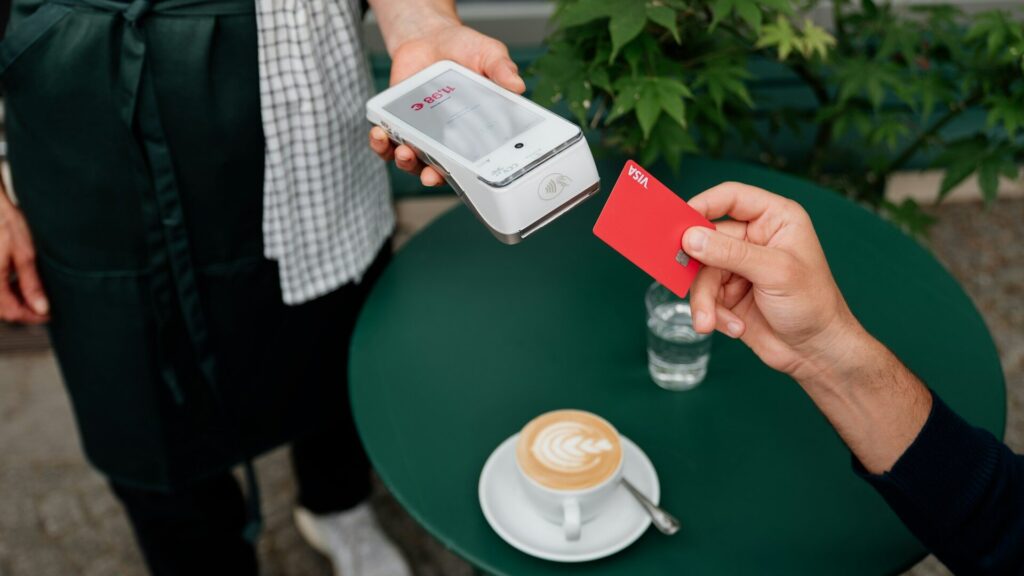
Paying with a tap of your wrist is one of the handiest smartwatch features. Each major platform uses its own wallet, though, and support depends on your watch, your phone and your bank. Here is a clear guide to Apple Pay, Google Wallet, Samsung Wallet and Garmin Pay.
Which Wallet Works on Which Watch
| Wallet | Watches | Phone Needed |
|---|---|---|
| Apple Pay | Apple Watch | iPhone |
| Google Wallet | Pixel Watch and many Wear OS watches | Android phone |
| Samsung Wallet | Galaxy Watch | Samsung Galaxy phone for full features |
| Garmin Pay | Many Garmin watches with NFC | iPhone or Android |
Some Fitbit and Amazfit models also support payments through Google Wallet or their own services, depending on region and model.
Bank and Card Support
Apple Pay and Google Wallet have the broadest bank support in the US. Samsung Wallet is also widely supported. Garmin Pay works with many major banks but has a shorter list, especially among smaller banks and credit unions. Check your bank’s website or the wallet app’s list of supported cards before you rely on it. Garmin Pay cards are added in the Garmin Connect app, which our Garmin Connect guide walks through.
Where You Can Pay
All four wallets use the same contactless technology as tap-to-pay cards. Look for the contactless symbol at checkout. That includes most stores, many vending machines and many transit systems. Some transit networks let you tap your watch directly at the gate. Our guide to setting up contactless payments walks through the setup on each platform.
Key Differences in Daily Use
- Apple Pay: double-click the side button. Works only with iPhone.
- Google Wallet: open the app or use a shortcut. Needs a screen lock on the watch.
- Samsung Wallet: press and hold the Back button on many models.
- Garmin Pay: open from the controls menu and enter a 4-digit passcode once a day.
Switching Phones or Brands
Cards do not move automatically between wallets. If you switch from Android to iPhone, you will set up Apple Pay from scratch. Garmin Pay is the most flexible here, since it works with both phone types. Read switching from Android to iPhone with a smartwatch for more.
Final Thoughts
Apple Pay is for Apple Watch with iPhone, Google Wallet runs on Pixel and many Wear OS watches, Samsung Wallet fits Galaxy Watch, and Garmin Pay works with Garmin watches on any phone. Check that your bank supports your wallet before you leave your cards at home. Choosing a new watch? See how to choose a smartwatch for your phone.
FAQs
Can I use Apple Pay with an Android phone?
No. Apple Pay on the watch requires an iPhone.
Does Garmin Pay work with iPhone?
Yes. It works with both iPhone and Android.
Do watch payments work without my phone nearby?
Yes, once cards are set up. The watch handles the payment itself.



Write Your Review
No reviews yet. Be the first to share your experience!