

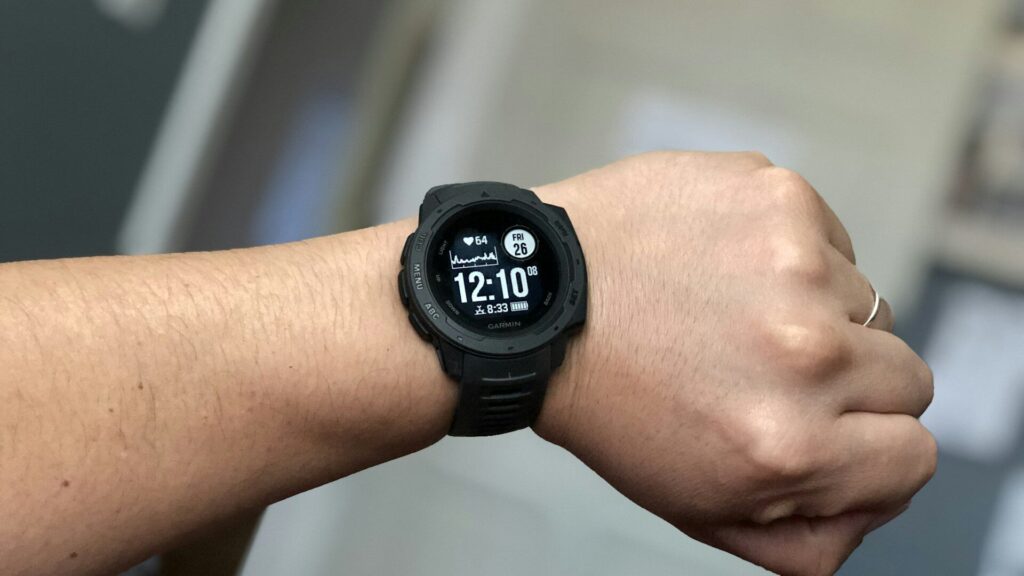
A Garmin watch collects a lot of data, and almost all of it lands in one app. Garmin Connect can feel crowded at first, but it follows a simple pattern: a daily dashboard on top, with deeper screens for activities, health and training underneath.
The My Day Dashboard
The main screen shows cards for today: steps, sleep, Body Battery, stress, heart rate and your latest activity. You can reorder, add or hide cards so the ones you check most sit at the top.
- Tap any card to see trends over days, weeks and months.
- Pull down on the screen to sync the watch manually.
- Edit the card list from the bottom of the dashboard.
Where to Find Key Features
The table below shows where the main features live. Menu names can change slightly between app updates.
| Feature | Where to Find It | What It Shows |
|---|---|---|
| Activities | Activity card or activity list | Maps, splits, heart rate and laps |
| Health stats | Dashboard cards or health menu | Sleep, HRV, stress, Body Battery |
| Training | Training and planning menu | Workouts, plans and training status |
| Device settings | Watch icon at the top | Alerts, watch faces, activity profiles |
| Challenges and badges | Challenges menu | Goals and friendly competition |
Health Stats Worth Learning
- Body Battery: an energy score from 5 to 100 based on stress, activity and sleep.
- HRV status: a long-term view of recovery based on heart rate variability overnight.
- Sleep score: combines duration, stages and restlessness.
- Stress: estimated from heart rate variability during the day.
Quick answer: check Body Battery and sleep score each morning, and HRV status weekly, to understand your recovery.
Training Tools
- Create or download a workout, then send it to the watch.
- Try a free adaptive training plan for a 5K, 10K or half marathon on supported models.
- Check training status and load to see whether you are building fitness or overreaching.
- Use your heart rate zones, set up as shown in our Garmin watch setup guide.
Garmin also offers an optional paid subscription with extra insights, while the core features stay free.
Sharing Data With Other Apps
Garmin Connect can link to Apple Health, Strava and many other services from the settings menu under connected apps. On iPhone, this lets Garmin data appear next to your other records in Apple Health.
If activities stop appearing, see our guide on Garmin watch not syncing.
Final Thoughts
Garmin Connect is easier than it looks: start with the My Day dashboard, tap into cards for detail, and visit the training and device menus when you need them. Spend ten minutes arranging cards and the app becomes a quick morning check-in.
See what the app pairs with in our Forerunner 165 review, and explore other platforms in our ecosystem guides.
FAQs
Is Garmin Connect free?
Yes, the core app is free with any Garmin watch. An optional subscription adds extra insights and features.
Does Garmin Connect work on iPhone?
Yes, it works on iPhone and Android. You can also view your data on the Garmin Connect website.
What is Body Battery in Garmin Connect?
It is an energy score from 5 to 100. It drops with stress and activity and recharges with rest and sleep.
Can Garmin Connect sync with Strava?
Yes, link Strava in the connected apps settings. New activities then upload automatically.


Write Your Review
No reviews yet. Be the first to share your experience!