

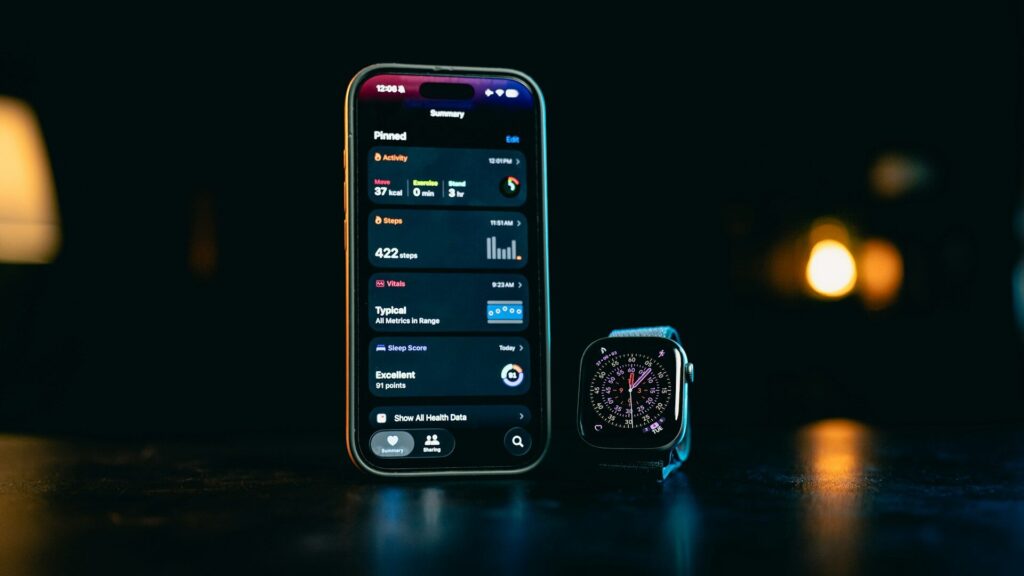
Fitbit has been part of Google for several years, and the biggest change most users noticed was the move from Fitbit accounts to Google accounts. The Fitbit app still tracks the same steps, sleep and heart rate, but how you sign in, manage privacy and export data now runs through Google.
What Changed at a Glance
The table below summarizes the main differences.
| Area | Before | Now |
|---|---|---|
| Sign-in | Fitbit email and password | Google account |
| Security | Fitbit account settings | Google security, including 2-step verification |
| Data export | Fitbit website export | Google data export tools |
| Privacy controls | Fitbit settings | Fitbit app plus Google account controls |
| Web dashboard | Browser dashboard | Phone app is the main place to view data |
Signing In With Google
New users sign up with a Google account, and existing Fitbit accounts had to be moved to Google to keep working. Google set a deadline for this move, and accounts that were never moved risk losing their data.
Quick answer: if you can still open your history after signing in with Google, your account has been moved. If not, check the Fitbit app and Google’s Fitbit help pages right away.
Privacy and Your Health Data
- Google states that Fitbit health and wellness data is kept separate from Google ads.
- You can review and manage Fitbit data from the Fitbit app’s settings and your Google account.
- Choose which other apps can read your data, including through Health Connect on Android.
Features That Changed
- Some older social features, such as open groups and some challenges, were removed.
- The web dashboard was retired, so the phone app is the main hub.
- Pixel Watch uses the Fitbit app for health and fitness tracking.
- Fitbit Premium continues as an optional subscription for deeper insights.
Features can keep changing as Google updates the app, so check the app’s release notes now and then.
What to Check Today
- Open the Fitbit app and confirm you are signed in with the right Google account.
- Turn on 2-step verification for that Google account.
- Review which apps and services can access your Fitbit data.
- Download a copy of your data with Google’s export tools as a backup.
- If syncing stopped after the switch, follow our guide on Fitbit not syncing.
Final Thoughts
The Fitbit app works much as before, but sign-in, security, privacy and data export now run through your Google account. Confirm your account was moved, secure it, and keep a backup of your history.
Setting up a new device? See our guide on how to set up a Pixel Watch and our Fitbit Sense 2 review.
FAQs
Do I need a Google account to use Fitbit?
Yes, the Fitbit app now uses Google accounts. Older Fitbit accounts had to be moved to Google.
Does Google use Fitbit data for ads?
Google says Fitbit health data is not used for Google ads. Review your privacy settings to control sharing.
How do I download my Fitbit data?
Use Google’s data export tools for your account. Select Fitbit data to download a copy.
Is there still a Fitbit website dashboard?
No, the web dashboard was retired. Use the Fitbit app on your phone to view data.


Write Your Review
No reviews yet. Be the first to share your experience!