

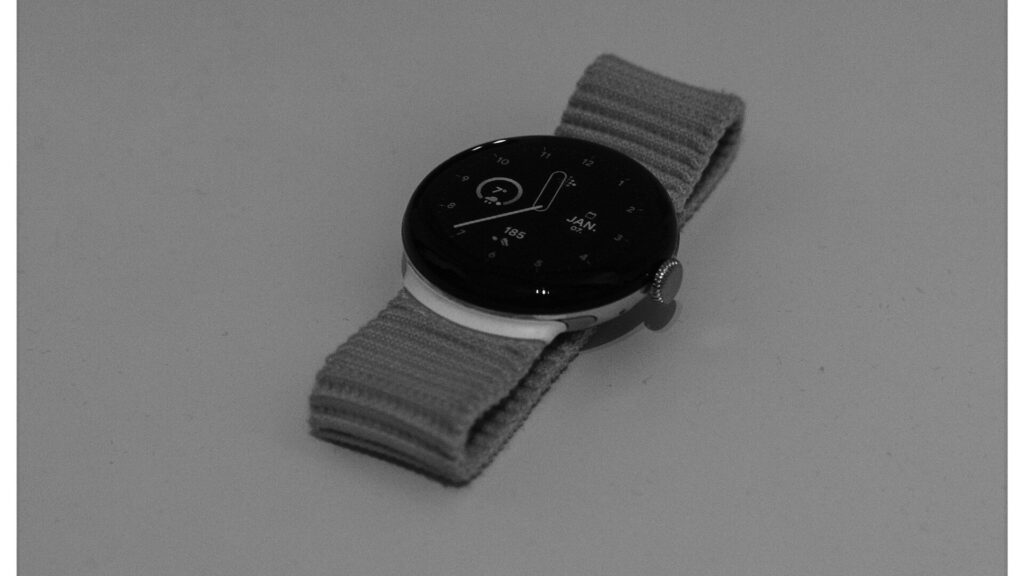
Pixel Watch combines Wear OS with Fitbit health tracking, so setup involves two apps and, for many people, an existing Fitbit history worth keeping. If you set up a Pixel Watch in the right order, your steps, sleep and workouts from older Fitbit devices carry over.
Before You Start
- An Android phone with a recent Android version. Pixel Watch does not work with iPhone.
- The Pixel Watch app and the Fitbit app from the Play Store.
- Your Google account. Fitbit now uses Google accounts for sign-in.
- The watch charged to at least half.
Pairing Step by Step
- Turn on the watch by holding the crown.
- Open the Pixel Watch app on your phone and follow the prompts to find the watch.
- Confirm the pairing code on both screens.
- Sign in with your Google account and copy it to the watch.
- Choose your wrist and crown orientation.
- Let the watch update while it sits on the charger.
If pairing stalls, see our guide on what to do when a smartwatch won’t pair.
Bringing Over Your Fitbit Data
When the Pixel Watch app reaches the health step, it hands off to the Fitbit app.
- Sign in to the Fitbit app with the same Google account.
- If you still have an older Fitbit account, follow the prompt to move it to your Google account. This keeps your history.
- Add Pixel Watch as a device in the Fitbit app.
- If you had another Fitbit device, the app sets Pixel Watch as your main tracker so totals do not double up.
Quick answer: sign in to Fitbit with the Google account that holds your old Fitbit data, and your history appears next to new Pixel Watch data.
First Settings to Choose
These settings are worth reviewing on day one.
| Setting | Where | Why |
|---|---|---|
| Notifications | Pixel Watch app | Fewer buzzes and better battery |
| Google Wallet | Wallet on the watch | Tap to pay from your wrist |
| Sleep tracking and bedtime mode | Fitbit app and watch | Quiet nights and sleep data |
| Safety features | Pixel Watch app, Safety | Fall detection and emergency sharing |
| Always-on display | Watch display settings | Convenience versus battery life |
Daily Health Data and Other Apps
Your activity, heart rate and sleep appear in the Fitbit app. To share them with other fitness apps, turn on Health Connect in the Fitbit app’s settings. To compare readings, our steps to miles calculator turns step counts into distance.
Final Thoughts
To set up a Pixel Watch smoothly, pair it in the Pixel Watch app, then sign in to Fitbit with the Google account that holds your history. Trim notifications and turn on safety features before you start wearing it full time.
See how the current model performs in our Pixel Watch 5 review, or find more guides in our setup and tips section.
FAQs
Can I use a Pixel Watch with an iPhone?
No, Pixel Watch needs an Android phone. iPhone owners should look at Apple Watch or cross-platform brands.
Will I lose my old Fitbit data?
No, if you move your Fitbit account to your Google account. Your history then shows up alongside Pixel Watch data.
Do I need both the Pixel Watch and Fitbit apps?
Yes. The Pixel Watch app manages the watch, and the Fitbit app handles health and fitness data.
Can I use two Fitbit devices at once?
Only one device counts as your main tracker. The Fitbit app uses it to avoid double counting.



Write Your Review
No reviews yet. Be the first to share your experience!