

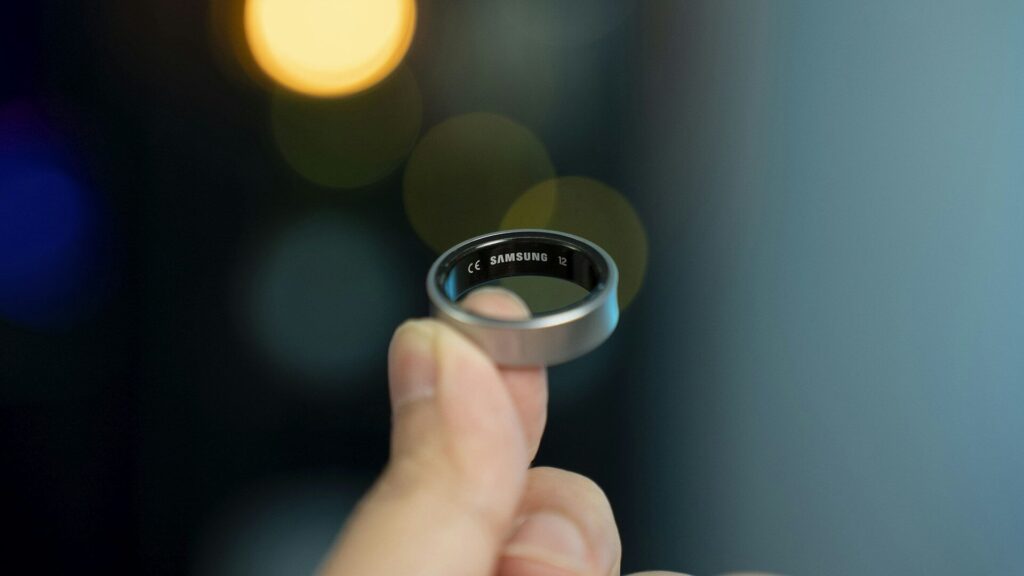
A smart ring stores data on the ring and sends it to your phone when the app connects. If your smart ring is not syncing sleep data, the night is often still on the ring, waiting for a connection. Work through these steps in order, from quickest to most involved.
Quick Checks First
- Open the ring’s app. Many rings sync fastest while the app is open on screen. Give it a minute.
- Check Bluetooth. Make sure it is on and the phone is not in airplane mode.
- Check the ring battery. If the ring ran out overnight, the missing hours were never recorded.
- Restart your phone. This clears stuck Bluetooth connections more often than you might expect.
Symptoms and Likely Causes
| Symptom | Likely Cause | Fix |
|---|---|---|
| Whole night missing | Ring battery died or ring was off | Charge before bed, check battery alerts |
| Night shows hours later | App blocked from running in the background | Allow background activity for the app |
| Partial night | Loose fit, ring lost skin contact | Check sizing, try another finger |
| Data in ring app, not in health app | Sharing permissions turned off | Turn on Apple Health or Health Connect access |
| Nothing syncs at all | Pairing problem or old firmware | Update firmware, then re-pair |
Fix Phone Settings
- iPhone: turn on Background App Refresh for the ring app and allow Bluetooth access in Settings.
- Android: set the ring app’s battery use to unrestricted so the phone does not put it to sleep. Allow nearby devices permission too.
- Keep the phone within Bluetooth range overnight, such as on the nightstand.
- Check that a phone update did not reset app permissions. Major system updates sometimes do.
Quick answer: on Android, battery optimization is the most common reason rings stop syncing in the background.
Check the Fit and the Sensors
A ring that spins or slides can lose contact with your skin, which leaves gaps in the night. Make sure the sensor side sits on the palm side of your finger, and follow the sizing tips in our smart ring setup guide. Lotion and dirt on the sensors can also block readings, so clean the ring regularly.
Sharing With Health Apps
If the night appears in the ring app but not elsewhere, check data sharing. On iPhone, review permissions in Apple Health. On Android, confirm access in Health Connect.
Last Resort: Update and Re-pair
- Install any app and ring firmware updates while the ring is charging.
- Remove the ring from the app and from your phone’s Bluetooth list.
- Pair it again from the app, not from Bluetooth settings.
If problems continue, contact the brand’s support team. Other wearables have similar fixes, as shown in our Fitbit syncing guide. If you are shopping for a new ring, see our best smart rings for sleep tracking.
Final Thoughts
Most cases of a smart ring not syncing come from a dead battery, a phone that blocks the app in the background, or a loose fit. Fix those three and your sleep reports should arrive every morning.
FAQs
Is my sleep data lost if the ring did not sync?
Usually not. Most rings store several days of data and send it the next time the app connects.
Why does my ring only sync when I open the app?
Your phone is limiting background activity. Allow background refresh or unrestricted battery use for the ring app.
Which finger gives the best sleep data?
The finger where the ring fits snugly without spinning. Many brands suggest the index finger, but follow your ring’s sizing guide.
Can I use my ring with two phones?
Usually not at the same time. Most rings pair with one phone, so syncing from a second phone can disconnect the first. Pick one phone for daily syncing.


Write Your Review
No reviews yet. Be the first to share your experience!