

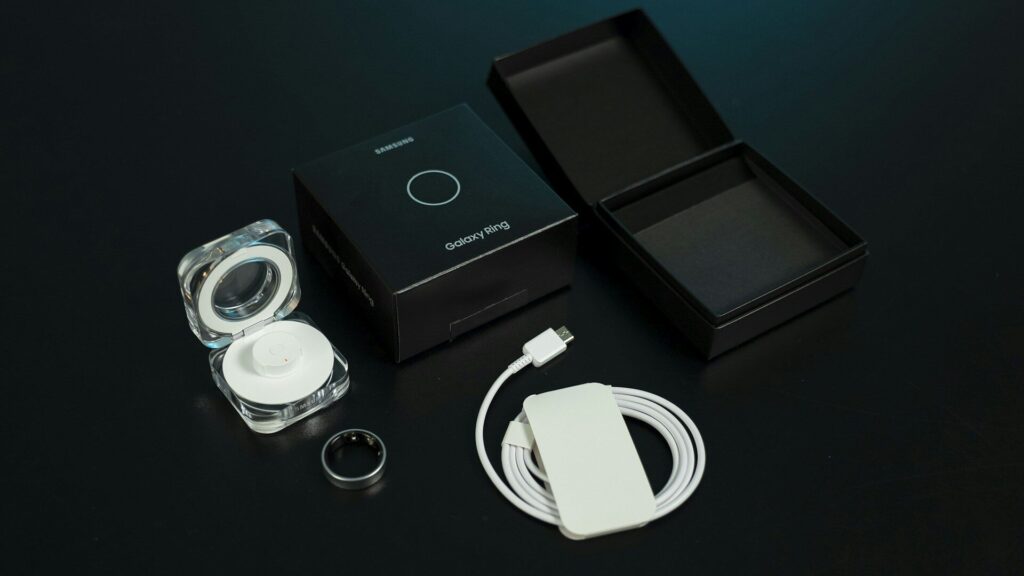
A smart ring is one of the most comfortable ways to track sleep, but it only works well when it fits right and knows a little about you. If you set up a smart ring carefully before the first night, you get cleaner data sooner and fewer confusing scores during the first weeks.
Get the Size and Finger Right
Fit is the most important setup step. A loose ring lets light leak in, and a tight one is uncomfortable overnight.
- Use the brand’s sizing kit when one is offered, since ring sizes differ between brands.
- Wear the sizing sample for a full day and night, because fingers swell in the evening and with heat.
- Many brands recommend the index finger for the most reliable readings. Check your brand’s advice.
Our smart ring size calculator gives you a starting estimate.
Pairing and Profile Setup
- Charge the ring fully on its charger.
- Install the brand’s app and create or sign in to your account.
- Follow the in-app steps to pair the ring over Bluetooth.
- Enter your age, height, weight and sex for accurate estimates.
- Tell the app which hand and finger you wear the ring on, if it asks.
- Let the ring update its firmware while it stays on the charger.
Settings That Improve Sleep Data
The table below lists settings worth checking before the first night.
| Setting | Recommendation | Why |
|---|---|---|
| Sensor position | As the brand recommends, often palm side | Keeps sensors on soft tissue |
| Usual bedtime | Set your typical schedule | Helps the app frame your night |
| Health data sharing | Link Apple Health or Health Connect | Keeps all your data in one place |
| Battery alerts | Turn on low battery reminders | Avoids missing a night |
Quick answer: get the size right, wear the ring on the recommended finger, and fill in your profile before the first night.
What to Expect in the First Weeks
Smart rings compare each night with your personal baseline. During the first several nights to two weeks, scores for readiness, temperature and HRV may be limited or less settled while the ring learns your normal range. Wear it every night during this period so the baseline builds quickly.
Daily Habits for Better Readings
- Charge during a daytime routine, such as a morning shower, so the ring is on at night.
- Keep the inside clean. See our guide on how to clean a smart ring.
- Keep a regular sleep schedule. Our sleep calculator helps you plan bedtimes.
- Sync the app each morning to review your sleep.
Final Thoughts
To set up a smart ring for accurate sleep data, start with the right size and finger, complete your profile, and wear it every night while it builds a baseline. After that, a quick morning sync is all it takes.
Compare current models in our smart rings section.
FAQs
Which finger should I wear a smart ring on?
Many brands recommend the index finger. Follow your ring maker’s guidance and keep the same finger each night.
How long does a smart ring take to learn my baseline?
Usually several nights to about two weeks. Wear it every night to speed this up.
Should a smart ring feel tight?
It should be snug but comfortable. It should not spin freely or leave marks.
Can I wear a smart ring with a smartwatch?
Yes, but pick one as the main sleep source. This avoids duplicate data in your health app.



Write Your Review
No reviews yet. Be the first to share your experience!