

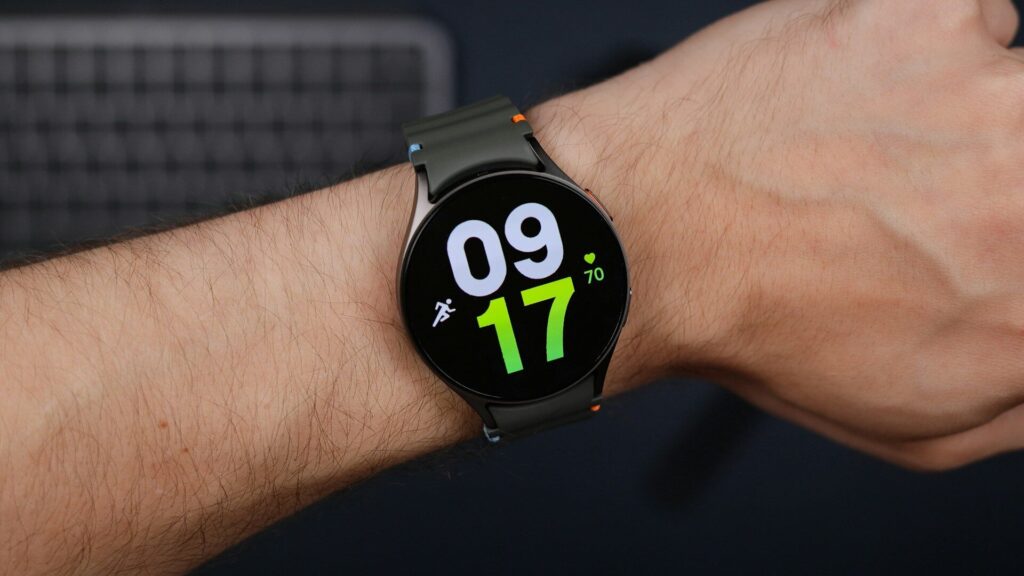
Samsung makes some of the most popular Android smartwatches, so it is natural to wonder about using a Galaxy Watch with an iPhone. The short answer depends on the model, and for current watches the answer is no.
The Short Answer
Quick answer: Galaxy Watch4 and every newer Galaxy Watch run Wear OS and require an Android phone. They cannot be set up with an iPhone.
Older Galaxy watches ran Samsung’s earlier Tizen software and could pair with an iPhone through a Samsung app. That support has ended, so it is not a good path for a new buyer.
You may still see older Galaxy models for sale as used or refurbished. Even if one pairs today, it no longer gets new features, and app support can stop working after an iPhone update. For a watch you plan to wear for years, that is a real risk.
Why Current Models Need Android
- Setup uses the Galaxy Wearable app, which is made for Android.
- Health features rely on Samsung Health, covered in our Samsung Health guide.
- Wear OS watches depend on Google services on the phone, as our watchOS vs Wear OS comparison explains.
- Some health features work only with a Samsung Galaxy phone, not just any Android phone.
Which Watches Work With iPhone
| Watch or Tracker | Works With iPhone? | Notes |
|---|---|---|
| Apple Watch | Yes | iPhone only, deepest integration |
| Galaxy Watch4 and newer | No | Android phone required |
| Google Pixel Watch | No | Android phone required |
| Garmin watches | Yes | Works with iPhone and Android |
| Amazfit watches | Yes | Works with iPhone and Android |
| Fitbit trackers | Yes | Works with iPhone and Android |
What iPhone Users Give Up With Non-Apple Watches
- Replying to messages is limited, since iPhone keeps that feature for Apple Watch.
- Notifications usually arrive, but actions on them are fewer.
- Health data can still reach Apple Health through each brand’s app.
- Contactless payments depend on the brand’s own wallet, such as Garmin Pay, rather than Apple Pay.
- Siri is not available on the watch, though some brands offer their own voice features.
For many people these limits are minor. If your watch is mainly for workouts, sleep and battery life, a non-Apple watch can still be a great match for an iPhone.
Our guide on choosing a smartwatch that works with your phone goes deeper into these trade-offs.
Picking an Alternative
- Want the most features with iPhone? Apple Watch is the natural fit.
- Training first, long battery? Garmin works well with iPhone. See Garmin vs Apple Watch.
- Planning to switch to Android later? A Galaxy Watch makes sense then. Our Galaxy Watch8 review shows what you would get, and our Galaxy Watch setup guide covers pairing.
Final Thoughts
If you use an iPhone, skip current Galaxy Watch models, since they need Android to work. Choose an Apple Watch for the deepest iPhone features, or a Garmin or Amazfit watch if you want something that works with either phone.
FAQs
Can I pair a Galaxy Watch8 with my iPhone?
No. Galaxy Watch8, like every model since Galaxy Watch4, needs an Android phone for setup.
Does the Galaxy Ring work with iPhone?
No. The Galaxy Ring also requires an Android phone.
Which Android-style watch works best with iPhone?
None of the Wear OS watches. For iPhone, look at Apple Watch, Garmin, Amazfit or Fitbit instead.
If I switch from iPhone to Android, can I keep my Apple Watch?
No. Apple Watch works only with iPhone. If you switch to Android, plan to move to a watch that supports your new phone.

Write Your Review
No reviews yet. Be the first to share your experience!