

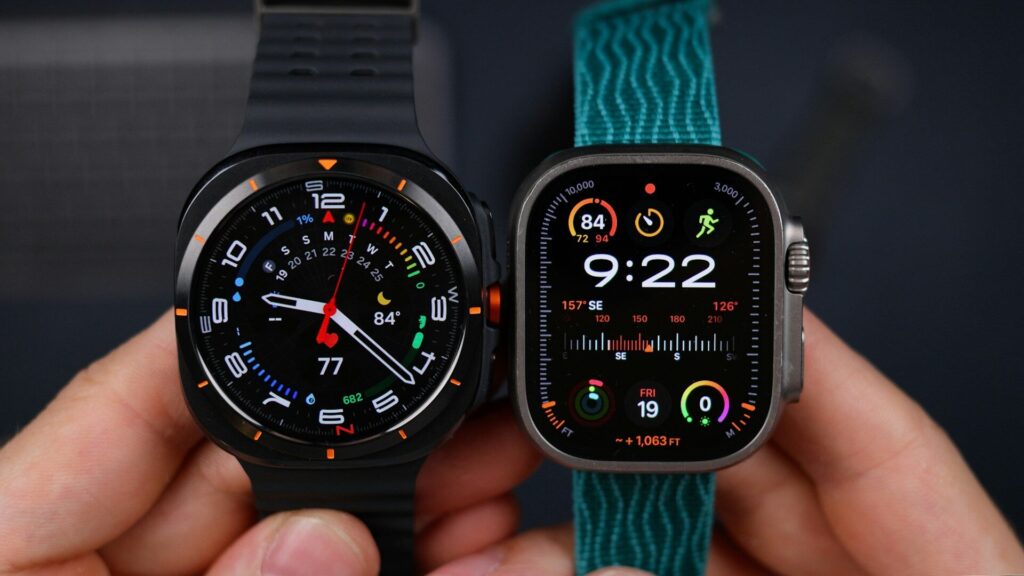
Most smartwatch buyers do not really choose a platform. Their phone chooses it for them. Still, knowing how watchOS vs Wear OS differ in daily use helps you set expectations, and it matters a lot if you are thinking about switching phones.
Phone Compatibility Comes First
- watchOS runs only on Apple Watch and pairs only with an iPhone.
- Wear OS runs on Samsung Galaxy Watch, Google Pixel Watch and watches from other brands, and current models pair with Android phones.
Quick answer: iPhone owners should look at Apple Watch, and Android owners at Wear OS watches or cross-platform brands such as Garmin and Amazfit.
Daily Features Compared
The table below compares the areas you touch every day.
| Area | watchOS | Wear OS |
|---|---|---|
| Watches | Apple Watch only | Galaxy Watch, Pixel Watch and others |
| Health hub | Apple Health | Samsung Health or Fitbit, shared via Health Connect |
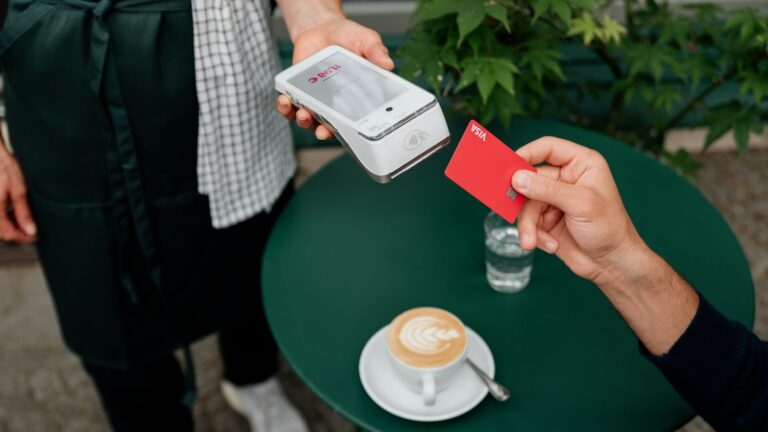
| Payments | Apple Pay | Google Wallet, Samsung Wallet on Galaxy |
| Voice assistant | Siri | Google’s assistant, plus Bixby on Galaxy |
| Quick views | Smart Stack widgets | Tiles |
| Phone needed for setup | iPhone | Android phone |
Apps and Notifications
Both platforms have app stores, but daily use leans on built-in apps: workouts, timers, maps, music and messages. watchOS ties tightly into iMessage, Apple Music and Apple Maps. Wear OS links to Google Maps, Google Wallet, YouTube Music and Gmail, and Samsung adds its own apps on Galaxy models.
Replying to messages works on both, with voice dictation, quick replies and a small keyboard. iPhone users get the smoothest iMessage support, while Wear OS handles Google Messages and many third-party chat apps well.
Health and Fitness Tracking
On watchOS, everything lands in Apple Health on the iPhone. See our Apple Health guide for how that works. On Wear OS, Galaxy watches use Samsung Health and Pixel watches use Fitbit, and both can share data through Health Connect on Android.
Both platforms offer heart rate, sleep tracking, ECG on supported models and fall detection, so the bigger differences show up in coaching style and app design.
Battery and Charging Habits
Standard models on both platforms usually need charging every day or two, especially with always-on display and GPS workouts. Rugged editions such as Apple Watch Ultra and Galaxy Watch Ultra last longer. Plan a short daily top-up, such as during a morning shower.
Setting Up Each Platform
- watchOS: hold the watch near your iPhone and follow the Watch app. Our guide on how to set up an Apple Watch covers each screen.
- Wear OS on Galaxy: use the Galaxy Wearable app, as shown in our guide to setting up a Galaxy Watch.
- Wear OS on Pixel: use the Pixel Watch app and sign in with your Google account.
Final Thoughts
watchOS vs Wear OS is mostly decided by your phone. Both platforms cover health tracking, payments, notifications and safety features well, and the day-to-day difference comes from which apps and services you already use.
See how each platform performs on real hardware in our Apple Watch Series 11 review and Pixel Watch 5 review.
FAQs
Can I use a Wear OS watch with an iPhone?
No, current Galaxy and Pixel watches need an Android phone. iPhone owners should choose Apple Watch or a cross-platform brand.
Which platform has more apps?
Both cover the popular categories. Most people rely on built-in apps for workouts, payments and messages.
Is Wear OS the same on every watch?
No, brands add their own layer. Samsung uses One UI Watch, while Pixel Watch runs a cleaner Google version.
Can I move my health data between platforms?
Only partly. Third-party apps can help export data, but history does not transfer automatically between Apple Health and Android apps.


Write Your Review
No reviews yet. Be the first to share your experience!