

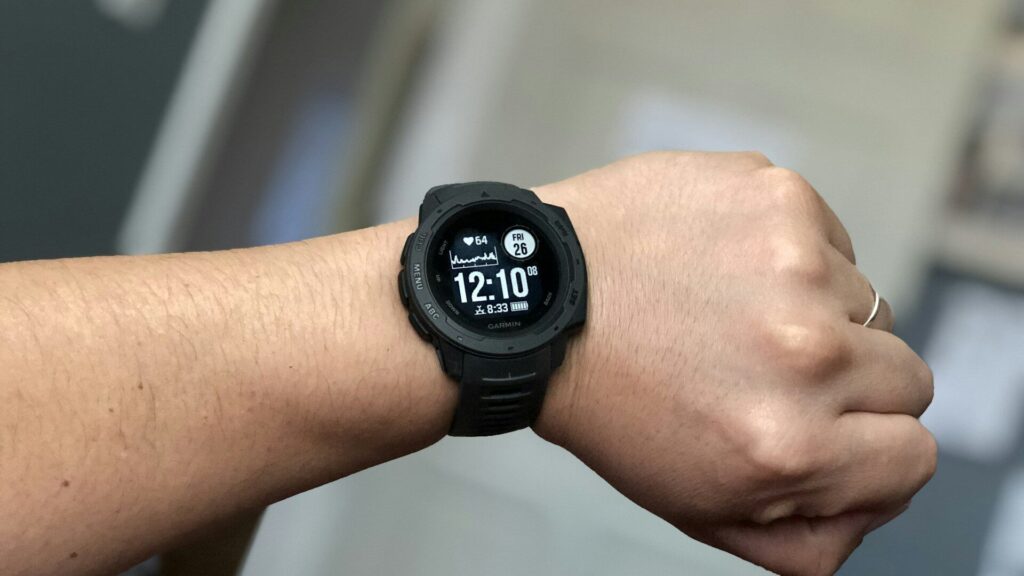
One reason Garmin is popular is that its watches work with both iPhone and Android. Training features, sleep tracking, maps and the Garmin Connect app are the same on either phone. Still, a Garmin watch with iPhone behaves a little differently from one paired with Android, mostly because of how each phone shares notifications.
What Works the Same on Both Phones
- All workout tracking, GPS, training load and recovery features
- Sleep tracking, Body Battery and HRV status
- Syncing through the Garmin Connect app
- Connect IQ watch faces and apps
- Music on music-capable models, plus Garmin Pay where your bank supports it
New to the app? Our beginner’s tour of Garmin Connect covers the main screens.
Where iPhone and Android Differ
| Feature | With iPhone | With Android |
|---|---|---|
| Reading notifications | Yes | Yes |
| Quick text replies from the watch | Not supported for most apps | Yes, with preset or custom replies |
| Rejecting calls with a text | No | Yes |
| Choosing which apps notify the watch | Mostly set in iPhone settings | Set app by app in Garmin Connect |
| Health data sharing | Apple Health | Health Connect |
Notifications and Replies
On Android, Garmin can read and act on notifications more directly, so you can send quick replies to messages and decline calls with a text. iPhone limits what third-party watches can do with messages, so you can read them on the wrist but reply on the phone. If quick replies matter to you, that alone may decide the question. Our guide to choosing a smartwatch for your phone explains these limits across brands.
Health Data Syncing
On iPhone, Garmin Connect can write steps, workouts, sleep and other data to Apple Health once you allow it in the app’s settings. On Android, Garmin can share selected data through Health Connect, which other fitness apps can then read. Either way, your full history stays in your Garmin account, so it is safe even if you switch phones later. See our Health Connect guide for the Android side.
Setup Tips for Each Phone
- Install Garmin Connect and pair from inside the app, not from the phone’s Bluetooth menu.
- On iPhone, allow notifications and keep Garmin Connect allowed to refresh in the background.
- On Android, turn off battery optimization for Garmin Connect so it is not closed in the background.
- Allow the health data permissions you want, then run a first sync.
Our Garmin first-day setup guide lists the settings worth changing right away.
If notifications stop arriving after a phone update, open Garmin Connect, check that the watch still shows as connected, and confirm that notification access is still allowed. Phone updates sometimes reset these permissions, and our guide to Garmin sync problems covers the next steps if a quick check does not solve it.
Final Thoughts
A Garmin watch is one of the safest picks if you might change phones, since training and health features are identical on both. Android users get more control over messages from the wrist, while iPhone users get smooth Apple Health syncing. If replies matter, lean Android. If not, either phone works well.
FAQs
Can I reply to texts from a Garmin watch on iPhone?
For most apps, no. iPhone lets you read messages on the watch, but quick replies are an Android feature.
Will I lose my Garmin data if I switch phones?
No. Your history is stored in your Garmin account, so it appears again once you sign in on the new phone.
Does Garmin sync with Apple Health?
Yes, once you allow it. Turn on the Apple Health connection in Garmin Connect and choose which data to share.


Write Your Review
No reviews yet. Be the first to share your experience!