

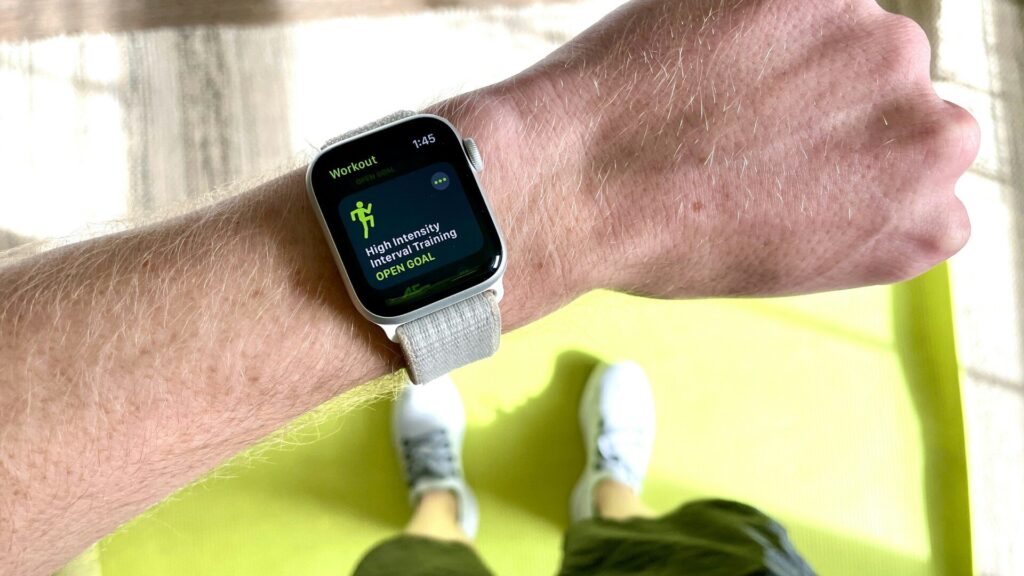
If your running route has ever shown you cutting through a building or zigzagging across a street you never crossed, you have seen GPS multipath error. Dual-band GPS is the feature built to fix exactly that, and it has moved from expensive outdoor watches into many mid-range models.
Here is what it does, when it genuinely helps, and when a standard GPS watch is all you need.
What Dual-band GPS Actually Means
A standard GPS watch listens to one satellite frequency, called L1. A dual-band watch listens to two: L1 plus the newer L5 signal (brands sometimes call it multi-band or dual-frequency GNSS).
L5 is broadcast with more power and a wider bandwidth. Having two separate signals from the same satellite lets the watch compare them and work out which readings have been distorted.
Quick answer: dual-band GPS does not find more satellites, it makes better use of the ones it can already hear.
How Dual-band GPS Fixes Bounced Signals
In a city or a dense forest, satellite signals often reach your wrist after bouncing off buildings, cliffs or wet leaves. The bounced signal travels farther, so the watch thinks you are somewhere you are not.
- The watch receives the same satellite on L1 and L5.
- Reflections affect the two frequencies differently.
- The chip compares them and down-weights the signal that looks delayed.
- The result is a track that stays on the road or trail you actually used.
The benefit is largest where signals bounce the most. In an open park the difference is often small.
Single-band vs Dual-band GPS Compared
The table below shows where each type performs well and what you give up.
| Situation | Single-band GPS | Dual-band GPS |
|---|---|---|
| Open roads and parks | Accurate | Accurate |
| Downtown with tall buildings | Frequent drift | Much steadier |
| Dense forest trails | Some drift | Noticeably cleaner |
| Track and lap accuracy | Good | Better |
| Battery use during GPS | Lower | Higher |
Which Smartwatches Offer Dual-band GPS
Dual-band support is now common in running and outdoor watches and in some premium everyday models.
- Garmin: Forerunner 265, 570 and 970, Fenix 8, Instinct 3 and Venu 4 support multi-band GNSS, with SatIQ that switches it on only when needed.
- Apple: Apple Watch Ultra models include dual-frequency GPS (L1 and L5).
- Samsung: the Galaxy Watch Ultra line includes dual-frequency GPS.
- Amazfit: Balance 2, T-Rex 3 and Cheetah models support dual-band GPS across several satellite systems.
Check the spec sheet for words like dual-band, dual-frequency, multi-band or L1 + L5. Browse the Garmin and Amazfit sections to compare models.
The Battery Trade-off and How to Manage It
Listening to two frequencies uses more power, so dual-band mode shortens GPS battery life compared with single-band mode on the same watch.
- Use dual-band for races, city runs and technical trails where accuracy matters.
- Switch to standard GPS for long, open routes where battery matters more.
- Use automatic modes (such as Garmin SatIQ) if your watch has them, so it upgrades only when signals get messy.
- Let the watch get a satellite lock before you start, which helps both modes.
Accurate distance also makes your pace data reliable. Pair your watch data with our running pace calculator to plan race splits.
How to Turn On Dual-band GPS on Your Watch
Most watches ship with dual-band turned off or set to automatic, so it is worth checking before your next run. The setting usually lives in each activity’s options rather than in the main menu.
- Garmin: open an activity such as Run, go to its settings, choose Satellites, and pick SatIQ (automatic) or All + Multi-band.
- Apple Watch Ultra: dual-frequency GPS runs automatically in supported workouts, with no setting to change.
- Amazfit: in the Workout settings, look for the positioning or GPS mode option and select dual-band or the highest accuracy mode.
- Samsung Galaxy Watch Ultra: GPS accuracy options appear in the Exercise settings for outdoor workouts.
After changing the mode, stand still outdoors for 30 to 60 seconds so the watch can lock onto satellites before you press start.
Other Things That Affect GPS Accuracy
Dual-band GPS solves one problem, reflected signals, but a few other habits change how clean your tracks look.
- Wear the watch face up: a sleeve or a jacket cuff over the watch weakens the signal.
- Update firmware: brands regularly improve their GPS algorithms and satellite data files.
- Sync before long outings: syncing refreshes satellite position data so the first lock is faster.
- Use the right activity profile: track, trail and road profiles smooth data differently.
If your route still looks wrong after these steps, our troubleshooting guides walk through deeper fixes. For step-based distance on days without GPS, the steps to miles calculator gives a quick estimate.
Final Thoughts
Dual-band GPS is one of the few smartwatch upgrades you can see directly in your data. If you run downtown, race on courses lined with buildings, or hike under heavy tree cover, it is worth prioritizing.
If your routes are mostly open roads, parks and tracks, a good single-band watch will serve you well and last longer per charge. Our buying guides help you weigh it against the rest of your wish list.
FAQs
Is dual-band GPS the same as multi-band GPS?
Yes, the terms describe the same idea. Brands use dual-band, dual-frequency and multi-band to mean the watch receives both L1 and L5 signals.
Does dual-band GPS drain the battery faster?
Yes, it uses more power than standard GPS. Most watches let you choose the mode per activity, so you can save it for routes where accuracy matters.
Do I need dual-band GPS for road running?
Not usually, unless you run between tall buildings. Open roads and parks give single-band GPS a clear view of the sky, so the improvement is small there.
Does dual-band GPS help on a running track?
It helps somewhat, but track modes help more. Many watches offer a dedicated track run mode that snaps your data to standard lane distances.



Write Your Review
No reviews yet. Be the first to share your experience!