

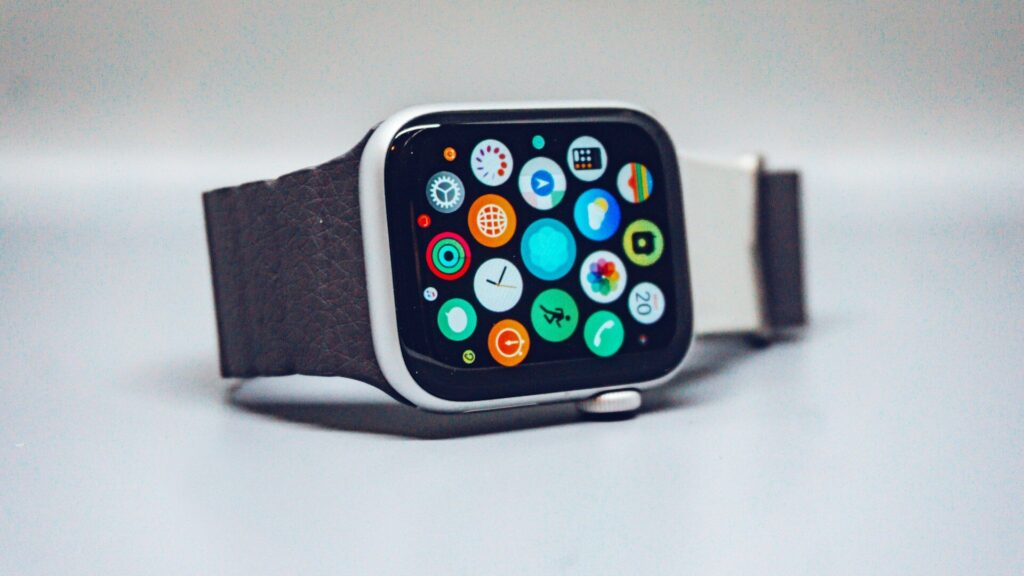
Most people who return a smartwatch do not return it because it is broken. They return it because it dies before dinner, does not talk properly to their phone, or tracks a sport they never do while missing the one they love. Learning how to choose a smartwatch is mostly about avoiding those three mismatches before you order.
This guide walks through the decisions in the order that actually narrows your options, starting with the one that eliminates half the market in a single step.
Start with Your Phone, Not the Watch
Your phone decides which smartwatches can work for you at all. This is the first filter, and it is not negotiable.
- iPhone owners: Apple Watch gives the deepest integration (messages, Apple Pay, Apple Health, unlocking your Mac). Garmin, Amazfit and Fitbit also pair with iPhone, with more limited replies and app access.
- Android owners: Samsung Galaxy Watch and Google Pixel Watch are built for Android and do not pair with iPhone. Garmin, Amazfit and Fitbit work well here too.
- Switching phones soon? A cross-platform brand such as Garmin, Amazfit or Fitbit protects you from buying twice.
Browse our Apple Watch lineup if you are on iPhone, or the full smart watches section to compare every brand side by side.
Match Battery Life to Your Charging Habits
Battery life is where smartwatches differ the most, and it shapes daily life more than any feature list. A watch that needs a charger every night will miss your sleep data unless you top it up in the morning.
The table below compares the major smartwatch families on the points that usually decide a purchase.
| Watch Family | Best For | Typical Battery | Phone Support |
|---|---|---|---|
| Apple Watch | Everyday iPhone users | About 1 to 2 days | iPhone only |
| Apple Watch Ultra | Outdoor iPhone users | About 2 to 3 days | iPhone only |
| Samsung Galaxy Watch | Samsung phone owners | About 1 to 2 days | Android only |
| Google Pixel Watch | Android users who live in Google apps | About 1 to 2 days | Android only |
| Garmin | Runners and outdoor athletes | About 1 to 3 weeks | iPhone and Android |
| Amazfit | Long battery on a smaller budget | About 1 to 3 weeks | iPhone and Android |
| Fitbit | Simple, health-first tracking | About 6 days | iPhone and Android |
If you hate chargers, a Garmin or Amazfit model changes the experience completely. If you want the richest apps and are happy to charge daily, Apple, Samsung and Google lead.
Health Sensors Worth Paying For
Every modern smartwatch tracks heart rate, steps and sleep. The differences show up in the extra sensors and in how useful the app makes the data.
Core Sensors Everyone Gets
Optical heart rate, an accelerometer and sleep tracking come standard. Blood oxygen (SpO2) is now common on mid-range models and above.
Advanced Health Features
ECG for atrial fibrillation checks, skin temperature for cycle and illness trends, and sleep apnea or hypertension notifications appear mostly on Apple, Samsung, Google and some Fitbit models. If heart health is the main reason you are buying, confirm the feature is available in the U.S. for the exact model before you order.
Training Metrics
Garmin leads on training readiness, recovery time and running dynamics. If you already train with heart rate zones, our heart rate zone calculator shows the numbers your watch will use.
Water Resistance and Build Quality
Water ratings tell you where the watch can go, not just whether it survives rain.
- 5 ATM (50 m): safe for swimming laps and showering. Enough for most people.
- 10 ATM (100 m): better for water sports and rough outdoor use.
- Dive rated (EN13319): needed only for recreational diving, found on rugged models such as Apple Watch Ultra.
For build, sapphire glass resists scratches far better than standard glass, and titanium cases save weight on larger watches. Our features explained guides break down each rating in detail.
Picking the Right Size and Fit
Most smartwatches come in two case sizes, roughly 40 to 42 mm and 44 to 46 mm. The larger size usually adds a bigger screen and a slightly larger battery.
- Measure your wrist with a soft tape or a strip of paper, just above the wrist bone.
- Wrists under about 6.5 inches usually suit the smaller case.
- Check the watch’s thickness as well as width, especially if you plan to sleep with it.
- Make sure the band that ships in the box covers your wrist size, since many brands include only one band length.
Features That Are Easy to Overpay For
A few upgrades are genuinely useful for some people and wasted money for others.
- Cellular (LTE): worth it if you run or walk the dog without your phone. It also adds a monthly carrier fee.
- Offline maps: great for hikers and trail runners, rarely used by city commuters.
- Titanium and sapphire: nice for durability, not required for a desk job.
- Premium subscriptions: some brands lock extra insights behind a monthly plan, so check what the base app includes.
Final Thoughts
The best way to choose a smartwatch is to filter in this order: phone compatibility, battery life, the health or training features you will actually use, then size and build. By the time you reach brand and design, the list is usually down to two or three models.
If you want a starting point, most iPhone owners are happiest with an Apple Watch, most Android owners with a Galaxy or Pixel Watch, and anyone who hates charging or trains seriously with a Garmin. Compare current models in our Garmin and smart watches sections.
FAQs
Can I use an Apple Watch with an Android phone?
No, Apple Watch works only with iPhone. Android owners should look at Samsung Galaxy Watch, Google Pixel Watch, or cross-platform brands such as Garmin and Amazfit.
How much battery life do I really need?
At least two days if you want sleep tracking without a nightly charge. A watch that lasts one day forces you to charge it in the morning or evening to capture sleep data.
Is a cellular smartwatch worth it?
Only if you regularly leave your phone at home. It lets you call, text and stream on runs or walks, but it adds a monthly carrier fee and uses more battery.
What size smartwatch should I get?
Choose the smaller case if your wrist is under about 6.5 inches. Larger wrists usually suit the 44 to 46 mm size, which also brings a bigger screen and battery.
Do I need a smartwatch or a fitness tracker?
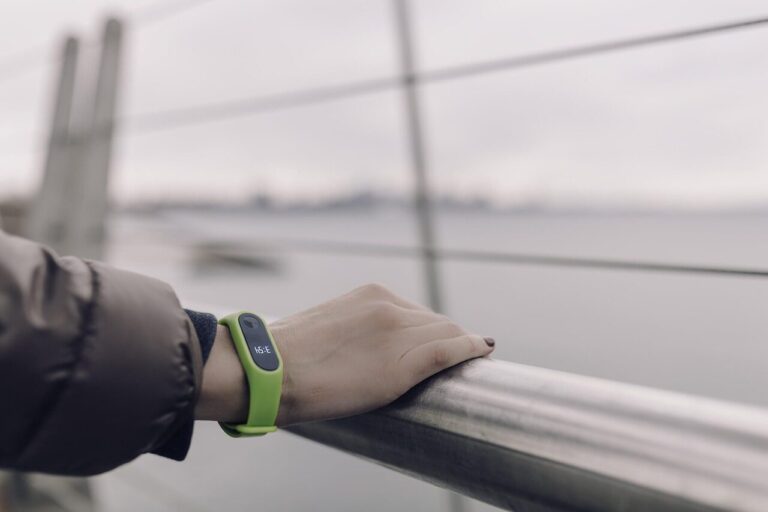
Get a smartwatch if you want apps, replies and payments on your wrist. A fitness band is lighter, cheaper and lasts longer if you mainly care about steps, sleep and heart rate.


Write Your Review
No reviews yet. Be the first to share your experience!