

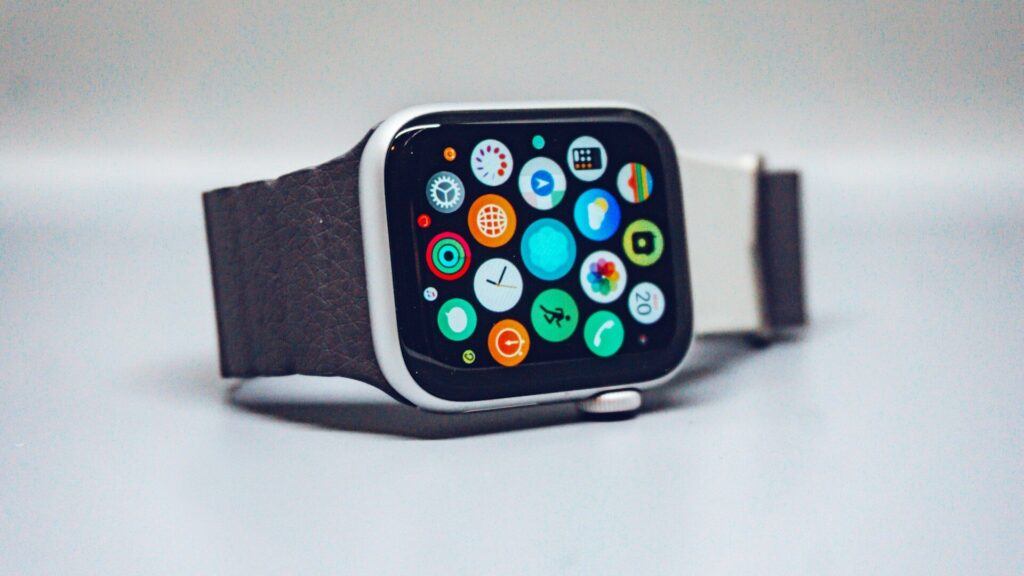
When your smartwatch won’t charge, it is tempting to assume the battery has died. In most cases the fault sits somewhere else in the chain: the wall adapter, the cable, the dock, or the contacts on the back of the watch. Checking each link in order takes about ten minutes and saves you a repair you may not need.
Think of Charging as a Chain
Power travels from the outlet to the adapter, through the cable, into the dock, and finally across the contacts into the battery. Any weak link stops the flow. The table below shows what each link looks like when it fails.
| Link | Typical Sign of a Problem | Quick Check |
|---|---|---|
| Outlet or adapter | Nothing happens on any device | Plug a phone into the same adapter |
| Cable | Charging starts and stops when you move it | Look for kinks or a loose plug end |
| Dock or puck | Watch shows a charge icon, then drops it | Make sure the magnet snaps firmly into place |
| Watch contacts | Slow or no charging even with a good cable | Look for sweat residue or lint on the back |
| Battery | Charges to full but drains within hours | Check the battery health screen if your watch has one |
Rule Out the Power Source First
- Plug the adapter into a different wall outlet, not a power strip that may be switched off.
- Use the adapter that came with the watch, or one with a similar output. Some laptop USB ports and very old phone bricks cannot supply enough power.
- Skip wireless phone chargers unless your watch maker says they are supported. Most watch pucks need their own cable.
Inspect the Cable and Dock
Bend the cable gently along its length while the watch sits on the dock. If the charging icon flickers, the cable has an internal break and needs replacing. Also check the dock surface for a hair or a grain of sand, which can lift the watch just enough to break contact.
Third-party chargers are a common cause. A cheap puck may fit but deliver weak or uneven power. If you recently switched to a travel charger, go back to the original for a day and compare. Our guide to Apple Watch charging stands covers what to look for in a replacement.
Clean the Contacts on Your Watch
- Power the watch off and remove it from the charger.
- Wipe the back with a lint-free cloth slightly dampened with water.
- For stubborn residue, use a cotton swab with a little isopropyl alcohol on the metal pins only.
- Let it air-dry fully before placing it back on the dock.
Sweat, sunscreen and lotion build up on the pins over weeks of wear. Our full guide on cleaning your smartwatch without damaging the sensors walks through safe products and what to avoid.
Restart and Update the Watch
Software can block charging too. Force a restart while the watch sits on the charger, then check for a firmware update once it has some power. Cold also matters: many watches pause charging when the battery is too cold or too hot, so let a watch that came in from the snow or a hot car return to room temperature first.
Signs the Battery Itself Is Worn
If the watch charges to full but needs a top-up by lunchtime, the battery has likely lost capacity. That is normal after a few years of daily cycles. Our article on smartwatch settings that improve battery life can stretch what is left, but a swollen case, a lifting screen or a battery that will not hold any charge means it is time for a service visit.
Final Thoughts
Work from the wall to the watch: outlet, adapter, cable, dock, contacts, then software. Most charging problems end at a dirty pin or a tired cable. If every link checks out and the watch still will not charge, contact the maker before the warranty runs out. For more fixes, browse our troubleshooting guides.
FAQs
Why does my smartwatch charge only when I hold it in place?
The dock is not seating properly. Clean both the dock and the watch back, check for debris, and replace the cable if the magnet feels weak.
Can I use any USB adapter to charge my watch?
Most standard adapters work, but very weak ones can fail. Use the original adapter or one with a similar output for the most reliable charge.
Is it safe to clean the charging pins with alcohol?
Yes, in small amounts on the metal pins only. Use a cotton swab, avoid the sensor window and let the watch dry fully before charging.
How do I know if the battery needs replacing?
Fast drain after a full charge is the main sign. If cleaning, a new cable and a restart do not help, ask the maker about a battery service.


Write Your Review
No reviews yet. Be the first to share your experience!