

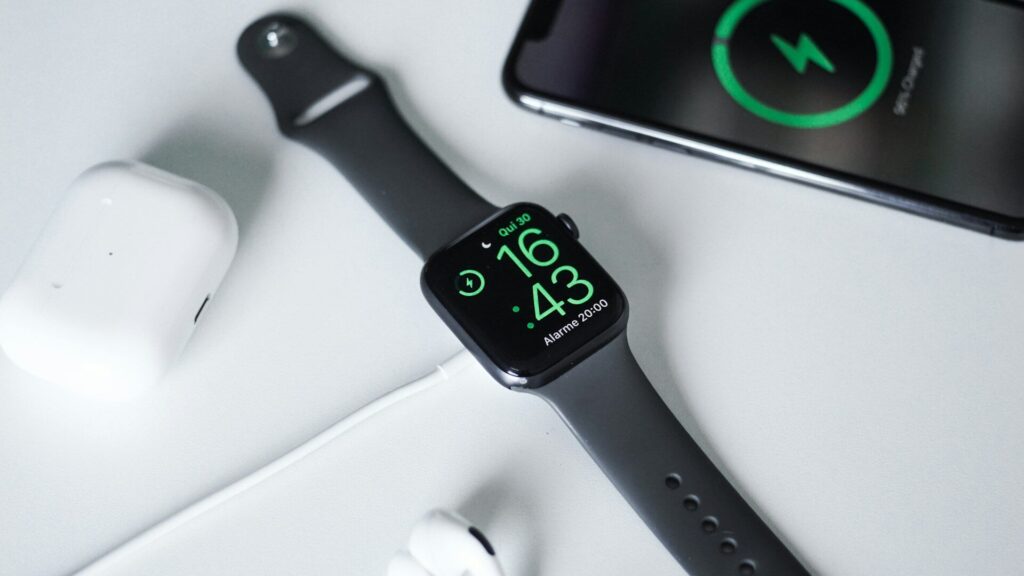
Daily battery life is about settings. Battery lifespan is about how well the battery holds a charge after hundreds of cycles. Every lithium-ion battery wears down over time, but a few habits slow that process so your watch stays useful for longer.
For day-to-day gains, see our list of smartwatch settings that improve battery life. This guide is about the long run.
What Wears a Battery Down
- Heat: the biggest factor. High temperatures speed up battery aging.
- Sitting at 100 percent for long periods: a full battery kept on the charger stays under more stress.
- Deep drains to zero: running empty often adds wear.
- Charge cycles: each full cycle adds a little wear, which is normal.
A charge cycle means using 100 percent of the battery in total, not plugging in once. Charging from 60 to 100 percent twice counts as roughly one cycle with less stress than one full drain. That is why small top-ups are kind to the battery.
Habits That Help and Habits That Hurt
| Habit | Effect on Lifespan |
|---|---|
| Charging in a cool room | Helps |
| Using optimized or adaptive charging | Helps |
| Topping up before it gets very low | Helps |
| Leaving the watch on a hot car dashboard | Hurts |
| Charging under a pillow or blanket | Hurts |
| Draining to zero every day | Hurts |
| Using damaged or poor-quality chargers | Hurts |
Turn On Smart Charging Features
Quick answer: if your watch offers optimized or adaptive charging, turn it on. It delays the last part of charging until you usually take the watch off the charger.
- Apple Watch calls this Optimized Battery Charging.
- Other brands use similar names, so check the battery section of your watch settings.
Charging Tips for Every Day
- Use the charger that came with the watch, or a certified one.
- Charge on a hard surface with airflow, not on a bed or sofa. A stand like those in our Apple Watch charging stands roundup keeps it off soft surfaces.
- Keep the charging contacts clean. Our smartwatch cleaning guide shows how.
- Let the watch cool down after a long, hot workout before charging.
- Dry the watch fully after swimming, as described in our post-swim care guide.
Storing a Watch You Are Not Using
If you put a watch away for weeks or months, charge it to about half, turn it off, and store it somewhere cool and dry. Check it every few months and top it up if needed, since a battery left empty for a long time can lose capacity.
When Battery Health Drops Anyway
If your watch suddenly drains much faster, first check for software causes. Our Pixel Watch battery drain guide walks through common culprits that apply to many watches. A cellular watch in poor signal areas also drains faster, as our GPS vs LTE guide explains. If the battery still struggles, contact the brand about service options.
Final Thoughts
Keep your watch cool, avoid long stretches at full or empty, and turn on optimized charging. These small habits add up to more good years from the same battery.
FAQs
Is it bad to charge my smartwatch every night?
No. Nightly charging is fine, especially with optimized charging turned on. Heat is the bigger concern.
Should I let my watch battery run to zero?
No. Frequent deep drains add wear. Charging before it gets very low is better for the battery.
How long does a smartwatch battery last before it wears out?
Often several years of daily use, depending on heat, charging habits and the model.
Can I check my smartwatch battery health?
On some watches, yes. Apple Watch shows battery health in Settings, and some other brands show it in their phone app or support tools.



Write Your Review
No reviews yet. Be the first to share your experience!