

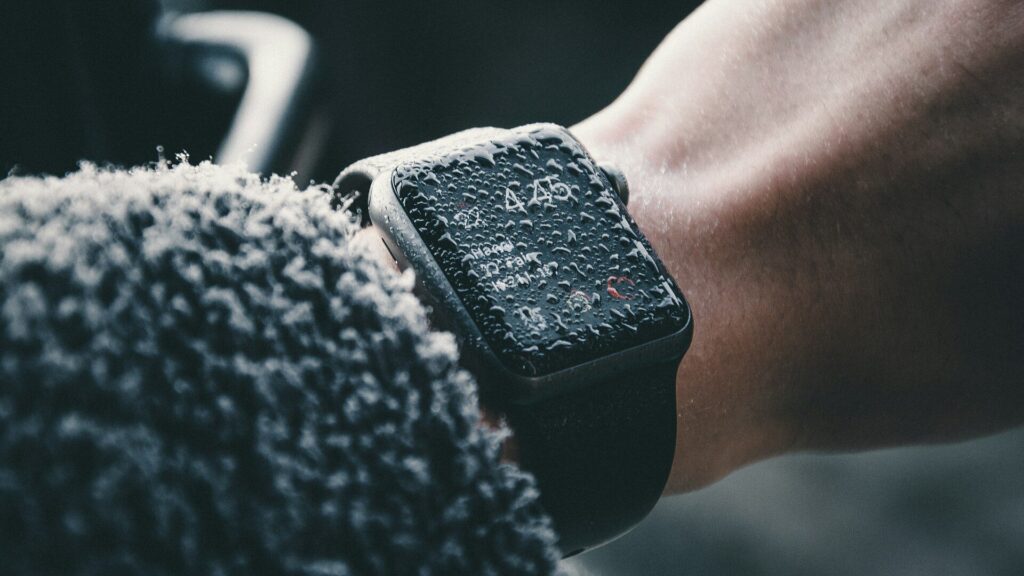
If you think water got inside your smartwatch, dry the outside, power it off if it is acting strangely, do not charge it, and let it dry in a warm, airy spot for at least a day. Use the water eject or water lock feature if your watch has one to clear the speaker. Fog under the glass, a dead screen or erratic touch are signs of real water entry that need support or repair.
Water on the Speaker vs Water Inside
Most smartwatches are water resistant, and water sitting in the speaker or microphone openings is normal after swimming or showering. That causes muffled sound for a few minutes and is cleared by the water eject feature. Water inside the sealed case is different and much less common. It usually happens after damage, old seals, hot water or high-speed water impacts.
Signs Water Got Inside
| Sign | Likely Meaning |
|---|---|
| Muffled speaker that clears after a few minutes | Water in the speaker port, usually normal |
| Fog or droplets under the glass | Water inside the case |
| Ghost touches or unresponsive screen | Possible water inside, or water on the screen |
| Watch will not turn on or keeps restarting | Possible internal damage |
| Charging error messages | Wet contacts or internal moisture |
What to Do in the First Hour
- Dry the outside with a soft, lint-free cloth.
- Run water eject or water lock to clear the speaker if your watch has it.
- If the watch behaves oddly, power it off.
- Do not charge it until it is fully dry; wet contacts can short.
- Remove the band and leave the watch speaker-side down in a warm, dry, airy place.
Avoid hair dryers on high heat, ovens and rice; heat can damage seals and rice dust can get into openings.
After 24 Hours
Power it on and check the screen, touch, speaker, buttons and charging. If fog under the glass remains or problems continue, contact the maker’s support. Water damage is often not covered by standard warranties, but extended protection plans may cover it. For general charging issues, see smartwatch won’t charge and how to clean charging contacts.
Using Water Lock and Water Eject
Apple Watch has Water Lock, which locks the screen during swims and plays a tone to push water out of the speaker when you turn it off. Galaxy Watch and several Wear OS watches have a similar water lock mode, and some Garmin and Amazfit models lock the buttons or screen during swim workouts. Turning these on before swimming prevents accidental taps from water on the screen, and the eject tone clears muffled sound afterward. They do not fix water inside the case, but they handle the normal water that sits in the ports.
How to Prevent It
- Know your rating; see what 5 ATM means and IP68 vs 10 ATM.
- Avoid hot showers, saunas and high-speed water sports beyond the rating.
- Rinse with fresh water after salt water or pools; see care after swimming.
- Replace a cracked screen or damaged case promptly, since seals no longer protect it.
Final Thoughts
Water in the speaker is normal and clears quickly. Fog under the glass or a misbehaving screen is not: power down, do not charge, dry it for a day and contact support if problems remain.
FAQs
Should I put a wet smartwatch in rice?
No. Air drying in a warm, dry spot works better and avoids dust.
Can I charge a smartwatch that got wet?
Not until it is completely dry. Wet contacts can short or corrode.
Does warranty cover water damage?
Usually not under standard warranty. Some protection plans do.
Write Your Review
No reviews yet. Be the first to share your experience!