

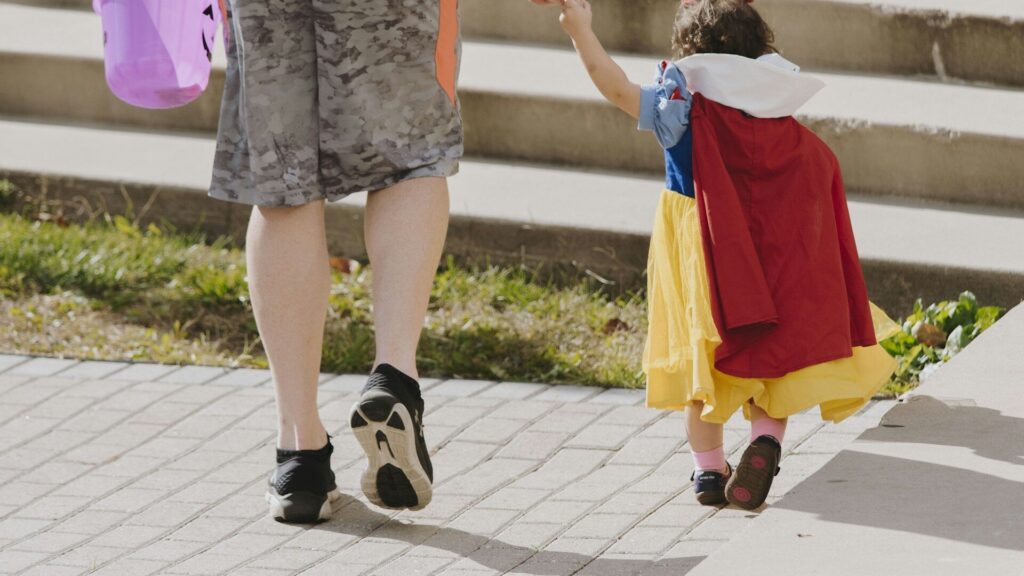
Halloween is one of the few nights when kids roam the neighborhood after dark, often a few houses ahead of the adults. A kids GPS smartwatch lets you see where they are and lets them call you with one tap, without handing a young child a phone. The watch only helps if it is ready before the costumes go on, so this checklist walks through the setup in the order that matters.
What a Kids’ Smartwatch Can Do on Halloween
Most watches made for children share a core set of features, managed from a parent app on your own phone.
- Live location: see the watch on a map in the parent app.
- Calls and messages: your child can reach approved contacts only.
- Location alerts: get a notice when the watch leaves or reaches a set area.
- School or quiet modes: limit games and apps so the watch stays a safety tool.
Options include Apple Watch with Family Setup, Samsung’s Galaxy Watch kids setup, Google’s Fitbit Ace LTE and the Garmin Bounce series. Calling and live location away from your phone need a cellular model with its own plan. Our guide to smartwatches versus fitness trackers explains why a simple band cannot do this.
The Night-Before Checklist
Work through these steps the evening before Halloween, not ten minutes before you leave.
- Charge to full. Live location and cellular use drain the battery faster than a normal school day.
- Update the watch and the parent app. Install pending updates so nothing restarts mid-route.
- Confirm the contact list. Add every adult walking with the group, not just parents at home.
- Make a practice call. Have your child call you from another room so they know the buttons.
- Set location alerts. Draw an area around your planned streets and turn on notices.
- Check the strap. A snug band stays on through costume changes and candy grabs.
Settings Worth Changing for the Night
A few small changes make the watch more useful once it gets dark.
| Setting | Why It Helps on Halloween |
|---|---|
| Screen brightness on auto or high | Easier to read in dim streets |
| Games and extra apps off | Saves battery for calls and location |
| Location update interval shorter | The map in your app stays more current |
| Ring volume up, vibration on | Your child notices your call through a costume |
Make It Fit the Costume
Costumes with gloves, long sleeves or bulky fabric can hide the watch completely. Wear it over a thin sleeve or on the outside of a glove cuff so your child can see the screen and press the call button. If the costume includes face paint or fake blood, keep the watch away from it, since makeup can stain light-colored bands. Most kids’ watches handle rain and splashes well; our guide to 5 ATM water resistance explains what the ratings cover.
Agree on a Simple Plan
The watch works best alongside a plan your child already understands.
- Pick one meet-up spot, such as a specific corner or porch.
- Agree on a check-in time, then a call if they are running late.
- Explain that the call button is for real needs, not just for fun.
- Stay with younger children; the watch supports supervision, it does not replace it.
Final Thoughts
A kids GPS smartwatch turns Halloween night into an easier evening for parents, as long as it is charged, updated and set up ahead of time. Spend twenty minutes the night before on contacts, alerts and a practice call, and the watch will be ready when it counts. For band-style options without calling, see our picks of fitness trackers for kids, and browse more ideas in our Halloween gift guides.
FAQs
Does a kids’ GPS smartwatch need a phone plan?
Yes, for calls and live location away from your phone. Cellular kids’ watches use their own data plan from a carrier or the watch brand.
Can I set up an Apple Watch for a child without an iPhone for them?
Yes, with Family Setup on a cellular Apple Watch. You manage it from your own iPhone, as covered in our Apple Watch setup guide.
How long will the battery last on Halloween night?
A full charge usually covers an evening, but live location shortens it. Start at full and turn off games to keep a buffer.
Can a smartwatch replace an adult walking with young kids?
No. It helps older kids check in, but young children still need an adult nearby.
Write Your Review
No reviews yet. Be the first to share your experience!