

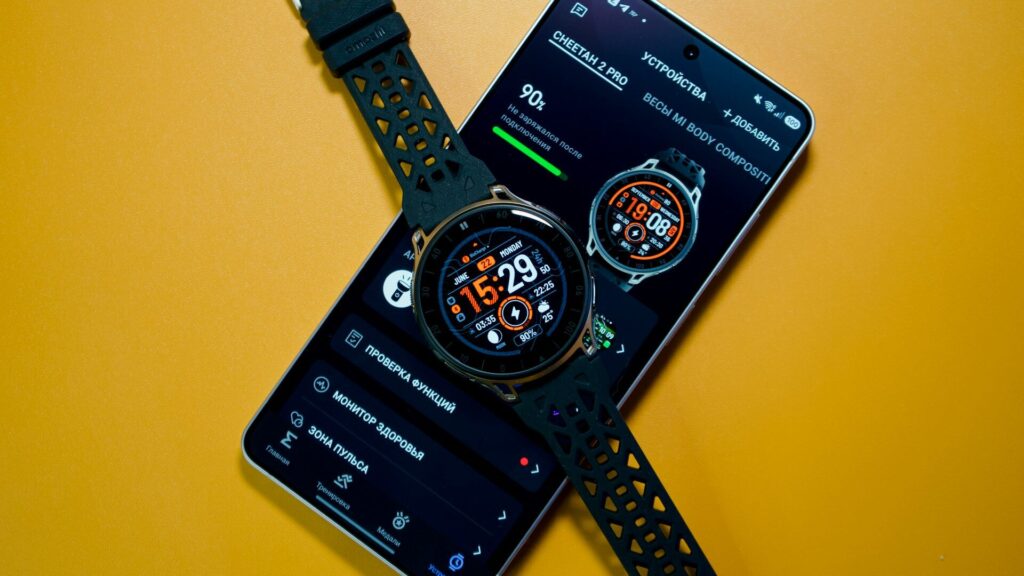
The Zepp app shows your watch as disconnected, notifications stop, and syncing spins forever. When you find your Amazfit not connecting to the Zepp app, the watch is almost never broken. The cause is usually Bluetooth, a missing permission or an old pairing getting in the way.
Work through these steps in order.
Common Causes at a Glance
Match the symptom with the most likely cause.
| Symptom | Likely Cause | First Fix |
|---|---|---|
| Connects only with Zepp open | Background limits | Allow background activity |
| Disconnects after a phone update | Permissions reset | Grant permissions again |
| Watch not found when adding | Paired in phone settings | Forget it in Bluetooth settings |
| Will not bind to a new phone | Still bound to the old account | Unbind from the old phone first |
| Connects then drops | Bluetooth glitch | Restart both devices |
Quick Fixes First
- Turn Bluetooth off and on in the phone’s settings.
- Restart the watch and the phone.
- Update the Zepp app and check for watch firmware updates.
- Close other apps that may connect to the watch over Bluetooth.
- Keep the phone close to the watch while reconnecting.
Quick answer: a Bluetooth toggle, a restart of both devices and a Zepp update solve most connection problems.
Check Permissions and Background Settings
Android
- Set Zepp’s battery use to Unrestricted.
- Allow nearby devices, location and notification access.
- Remove Zepp from any sleeping or deep sleeping apps list.
iPhone
- Allow Bluetooth access and Background App Refresh for Zepp.
- Turn off Low Power Mode while reconnecting.
Our Amazfit watch setup guide lists every permission Zepp needs.
Clear Old Pairings
- Open the phone’s Bluetooth settings and forget the watch if it appears there.
- In Zepp, open the device page and choose to unbind the watch.
- If you changed phones, unbind from the old phone or account first, if you still have it.
- Add the watch again in Zepp by scanning the QR code on the watch.
Sync before unbinding if you can, so recent data is saved to your account.
Reset as a Last Resort
If nothing works, reset the watch to factory settings from its system settings, then pair it again through Zepp. This erases data stored on the watch that has not synced yet, so use it only after the steps above.
Final Thoughts
When you see your Amazfit not connecting to Zepp, start with Bluetooth, restarts and updates, then check permissions and clear old pairings. A factory reset is rarely needed once background limits and stale pairings are out of the way.
Learn more about the app in our Zepp app guide, see our general pairing fixes guide, or browse more troubleshooting guides.
FAQs
Why does my Amazfit keep disconnecting?
The phone is usually limiting Zepp in the background. Set battery use to Unrestricted and allow all requested permissions.
Should I pair my Amazfit in Bluetooth settings?
No, pair it only through the Zepp app. Pairing in phone settings can block the connection.
How do I move my Amazfit to a new phone?
Sign in to the same Zepp account on the new phone. Unbind from the old phone first if it is still available.
Will unbinding delete my data?
Synced data stays in your Zepp account. Data not yet synced from the watch may be lost.


Write Your Review
No reviews yet. Be the first to share your experience!