

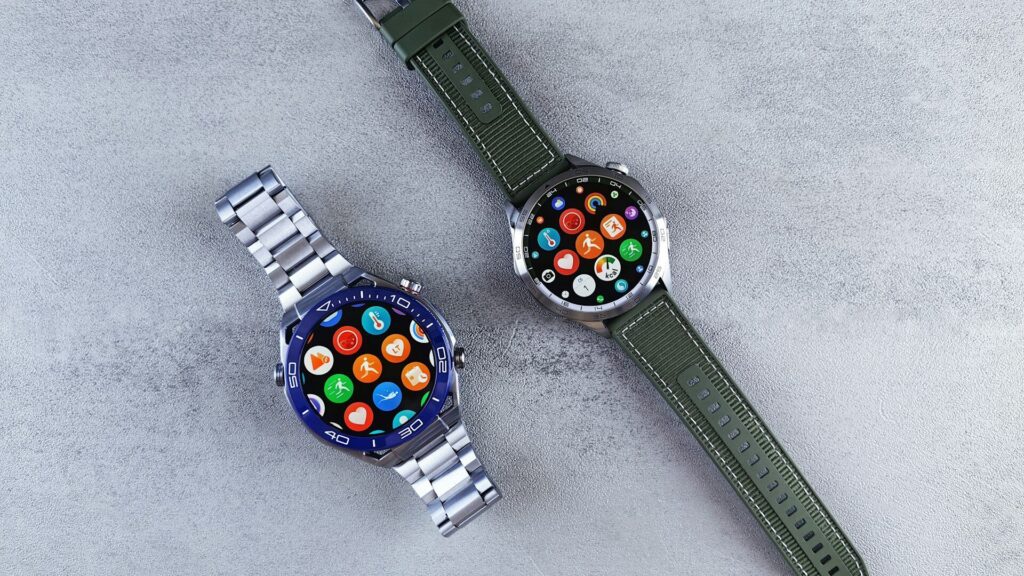
Two watches can look almost identical on a product page and still feel completely different after six months: one gets software updates and accurate heart data, the other stalls on its first firmware version. Deciding how much to spend on a smartwatch is really about deciding which of those differences matter to you.
Instead of chasing a number, it helps to think in tiers and know what each one adds.
The Four Smartwatch Tiers at a Glance
The table below compares the main tiers on the features that change daily use the most.
| Tier | Typical Examples | What You Get | Main Trade-off |
|---|---|---|---|
| Budget | Amazfit Bip, Amazfit Active | Long battery, basic health tracking | Limited apps and replies |
| Mid-range | Apple Watch SE, Galaxy Watch, Garmin Forerunner 165 | Reliable GPS, payments, good apps | Fewer advanced sensors |
| Premium | Apple Watch Series, Pixel Watch, Garmin Venu | ECG, temperature, brighter screens | Shorter battery on some models |
| Ultra-premium | Apple Watch Ultra, Galaxy Watch Ultra, Garmin Fenix | Titanium, dual-band GPS, dive ratings | Size and weight |
What Extra Money Actually Buys
Moving up a tier rarely makes a watch “better” at everything. It usually adds a few specific things:
- Health sensors: ECG, skin temperature and advanced sleep insights appear mostly in premium tiers.
- Display quality: brighter, always-on screens that stay readable outdoors.
- Materials: sapphire glass and titanium cases resist scratches and save weight.
- GPS accuracy: dual-band GPS, mostly in ultra-premium and serious running watches.
- Software support: major brands keep updating flagship models for years.
For a full checklist of features, see our guide on how to choose a smartwatch.
Where Spending Stops Paying Off
Above the mid-range, each step up adds less for most people. A premium watch will not make your step count more accurate, and titanium does not track sleep any better than aluminum.
Quick answer: if you mainly want notifications, steps, sleep and workouts, a solid mid-range watch covers 90% of what most owners use. Runners who want accurate routes should read our dual-band GPS guide before paying extra for it.
How to Set Your Smartwatch Budget
Use these steps to land on the right tier for you.
- Confirm which watches work with your phone. Apple Watch needs an iPhone; Galaxy and Pixel watches need Android.
- List the two or three features you will use daily, such as GPS runs, payments or sleep tracking.
- Pick the lowest tier that includes all of them.
- Add a tier only for a clear reason, such as diving, long hikes or a heart condition you want to monitor.
- Check how long the brand supports software updates for that model.
Hidden Costs to Plan For
The watch is not always the only expense.
- Cellular plans: LTE models add a monthly carrier fee.
- Subscriptions: some brands put advanced insights behind a monthly plan.
- Extra bands and chargers: handy for travel or switching between gym and office.
- Screen protection: worth it on watches without sapphire glass.
Final Thoughts
The right amount to spend on a smartwatch is the lowest tier that covers your daily features and works with your phone. For most people that means a mid-range model from Apple, Samsung, Google or Garmin.
Spend more only when you can name the feature you are paying for, such as dual-band GPS, a dive rating or ECG. Compare current models in our smart watches section, or start with our Apple Watch SE 3 review for a strong mid-range example.
FAQs
Is a budget smartwatch good enough?
Yes, for basic tracking and notifications. Budget models often last longer per charge but offer fewer apps, replies and advanced health sensors.
Do expensive smartwatches have better health tracking?
They usually have more sensors, not better basics. Heart rate and sleep tracking are solid in mid-range watches, while ECG and temperature appear higher up.
Is a premium smartwatch worth it for running?
Only if you need dual-band GPS or advanced training metrics. A mid-range running watch handles pace, distance and heart rate zones well.
How long should a smartwatch last?
Most last three to five years with normal use. Battery health and software support usually decide when it is time to upgrade.


Write Your Review
No reviews yet. Be the first to share your experience!