

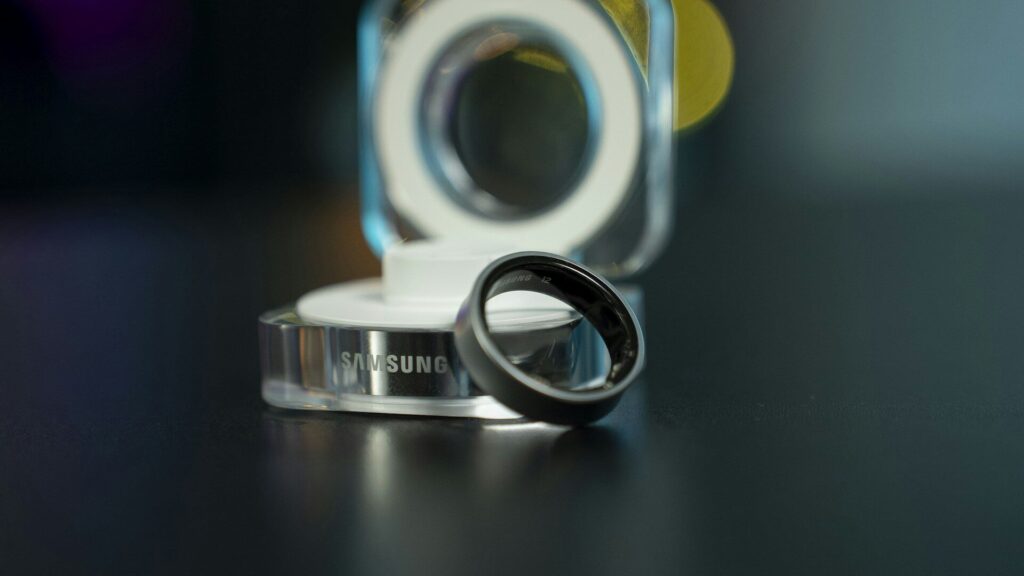
Many smart rings and smartwatches now track skin temperature while you sleep. Instead of showing a fixed number like a thermometer, they usually show how much your skin temperature changed compared with your normal range. That makes the feature useful for spotting patterns, as long as you know what affects it.
How the Sensor Works
- A small sensor on the back of the device reads the temperature of the skin it touches.
- Readings are taken during sleep, when you are still and the room is more stable.
- Over the first one to two weeks, the device learns your personal baseline.
- Each morning, it shows the difference from that baseline, often as a plus or minus value.
Why You See a Change, Not a Number
Quick answer: skin temperature is lower than core body temperature and changes with the room, so a single number would not mean much. Comparing you with yourself is more useful.
A reading of plus 0.5 degrees simply means your skin was a little warmer than your usual nights. Most normal nights fall within a small band around your baseline, and apps often highlight only changes that are larger than your typical night-to-night swing.
Apps may show values in Fahrenheit or Celsius, so check your units before comparing your numbers with a friend’s. Because each baseline is personal, comparing between people is not very useful anyway.
What Can Shift Your Readings
| Factor | Usual Effect |
|---|---|
| Warm bedroom or heavy blankets | Higher reading |
| Alcohol in the evening | Often higher |
| Late meal or late workout | Can be higher |
| Cold room or hand outside the covers | Lower reading |
| Travel and a new time zone | Less predictable |
| Menstrual cycle phase | Regular rises and falls over the month |
| Feeling run down | Can be higher |
How Apps Use Temperature
- Readiness and recovery scores: a warmer-than-usual night can lower your score, along with HRV and resting heart rate.
- Cycle insights: some apps use temperature trends to estimate cycle phases.
- Sleep context: temperature is one of several signals behind your sleep stage estimates.
On iPhone, temperature data from supported devices appears in Apple Health.
Getting Reliable Data
- Wear the device every night, especially during the first two weeks.
- Keep the fit snug so the sensor stays in contact. Our smart ring setup guide explains how.
- Keep your bedroom temperature fairly steady.
- Look at trends over several nights rather than one reading.
Rings are popular for this feature because they sit on the finger all night. See our best smart rings for sleep tracking.
What It Cannot Tell You
Skin temperature on a wearable is a wellness signal, not a medical reading. It cannot tell you whether you have a fever or why your temperature changed. If you feel unwell, use a regular thermometer and follow your doctor’s advice.
Final Thoughts
Skin temperature sensing compares each night with your own baseline. Keep your sleep setup steady, wear the device consistently, and read the trend alongside your other recovery signals.
FAQs
Can a smartwatch take my temperature?
Not like a thermometer. It tracks changes in skin temperature during sleep compared with your usual nights.
Why does my ring say my temperature is up?
Common reasons include a warm room, alcohol or a late meal. Look at the next few nights to see if it settles.
How long until temperature data appears?
Usually one to two weeks of nightly wear while the device learns your baseline.
Do all smartwatches have a temperature sensor?
No. Many newer rings and watches include one, but some models do not. Check the sensor list on the product page before you buy.


Write Your Review
No reviews yet. Be the first to share your experience!